Vista general
El punto de partida de la operativa diaria
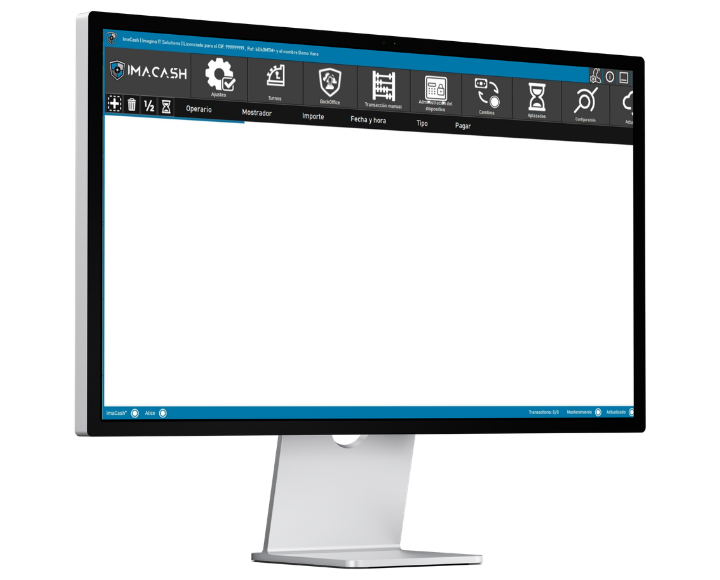
La pantalla principal de ImaCash es el punto desde el que se consulta la actividad diaria del efectivo y se accede a las acciones más habituales de caja.

ImaCash user manual
Reconoce la pantalla desde la que trabajarás cada día. Desde esta vista puedes revisar operaciones pendientes, comprobar el usuario activo, ver el estado del dispositivo de efectivo y acceder a cobros, cambios, transacciones manuales, aplazadas, resincronización o incidencias, siempre según los permisos disponibles en tu instalación.
La pantalla principal de ImaCash es el punto desde el que se consulta la actividad diaria del efectivo y se accede a las acciones más habituales de caja.
La información visible puede variar según el POS/TPV integrado, la máquina de efectivo y la configuración del establecimiento, pero normalmente encontrarás estas áreas:
Muestra ventas, cobros o transacciones pendientes de gestionar.
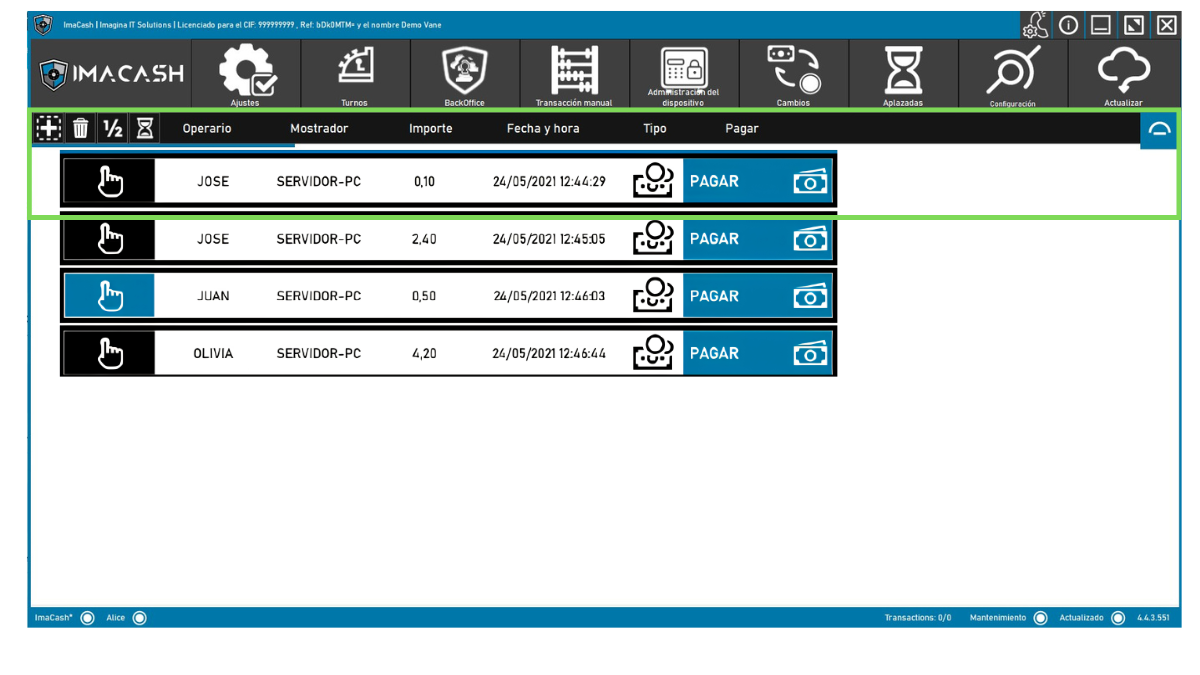
Indica quién está trabajando o quién debe identificarse para realizar una acción.
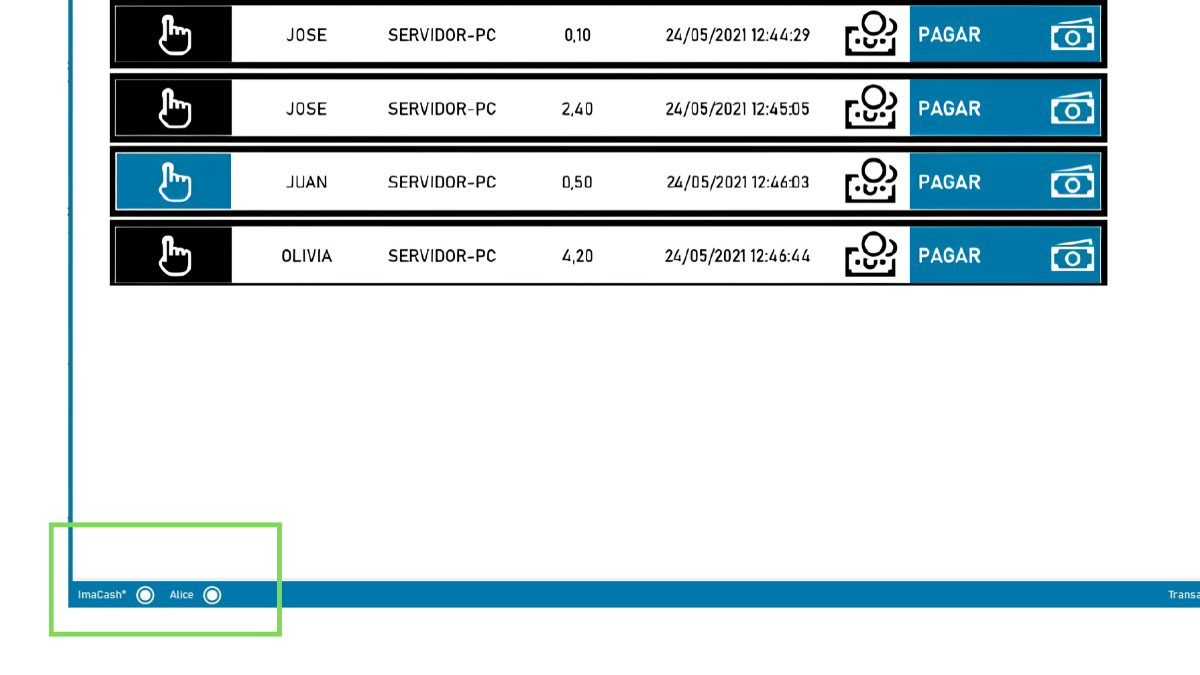
Muestra si el sistema está operativo, actualizado o si requiere atención.
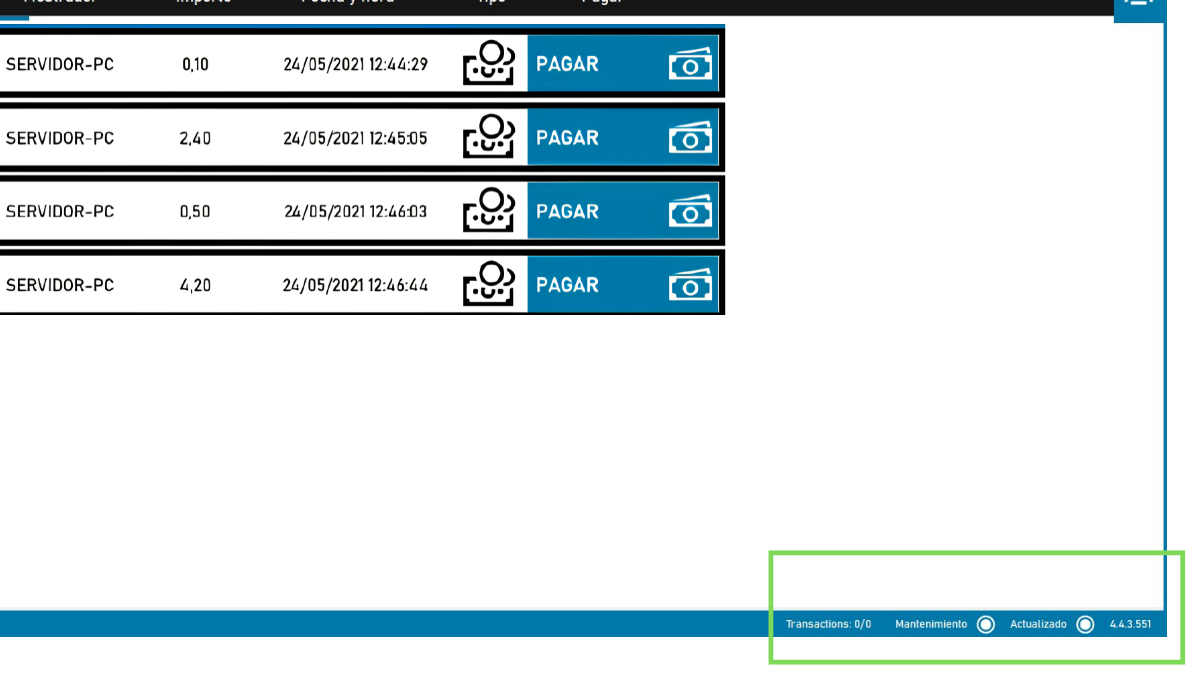
Permite saber si el dispositivo de efectivo está conectado, disponible o con alguna incidencia.
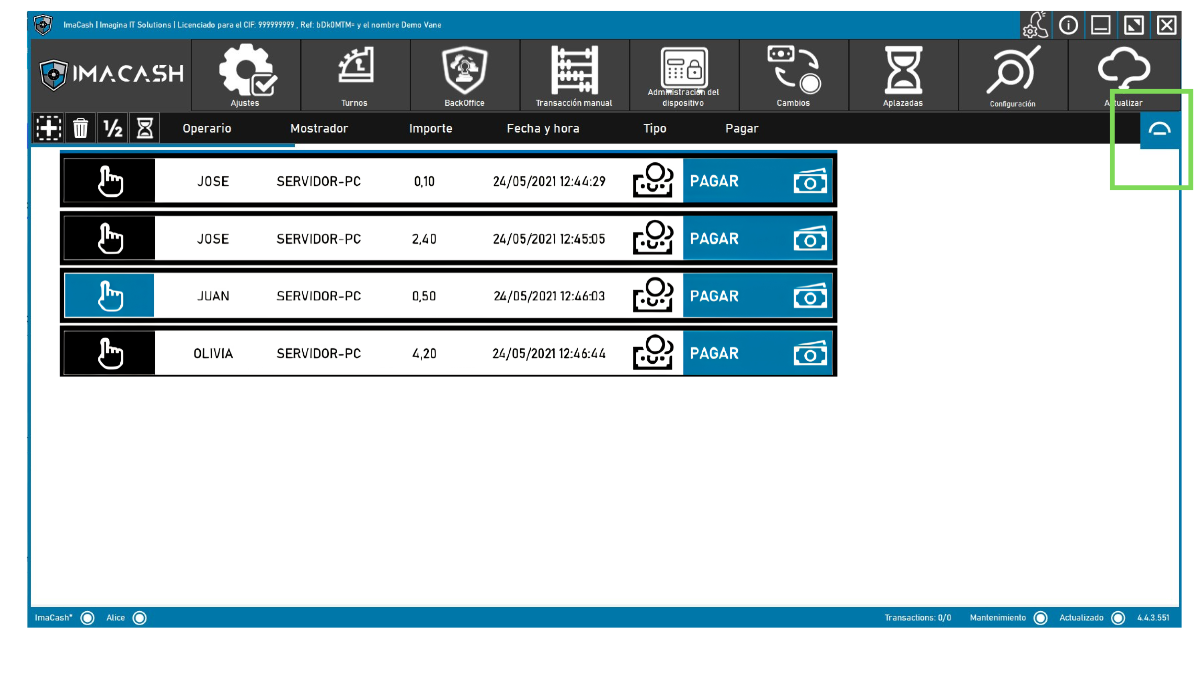
Botones o iconos para cambios, aplazadas, resincronización, transacciones manuales, informes o configuración.
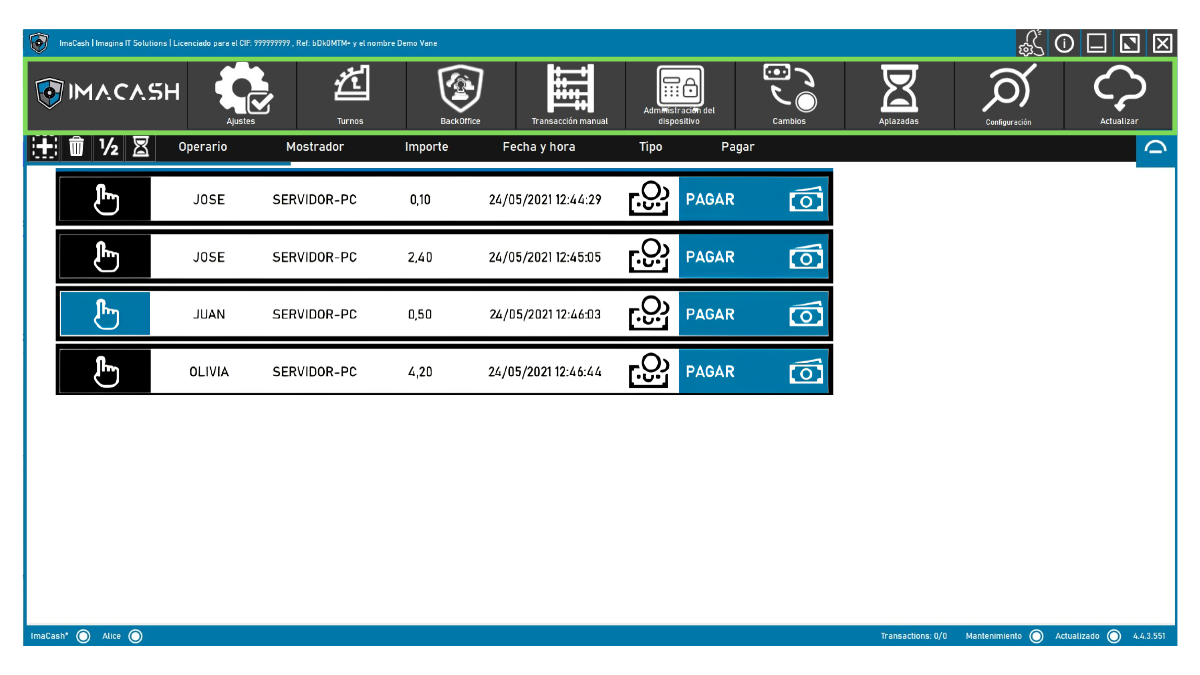
Permite ejecutar operaciones sobre ventas visibles, como pagar, abonar, aplazar, agrupar o eliminar, si la configuración lo permite.
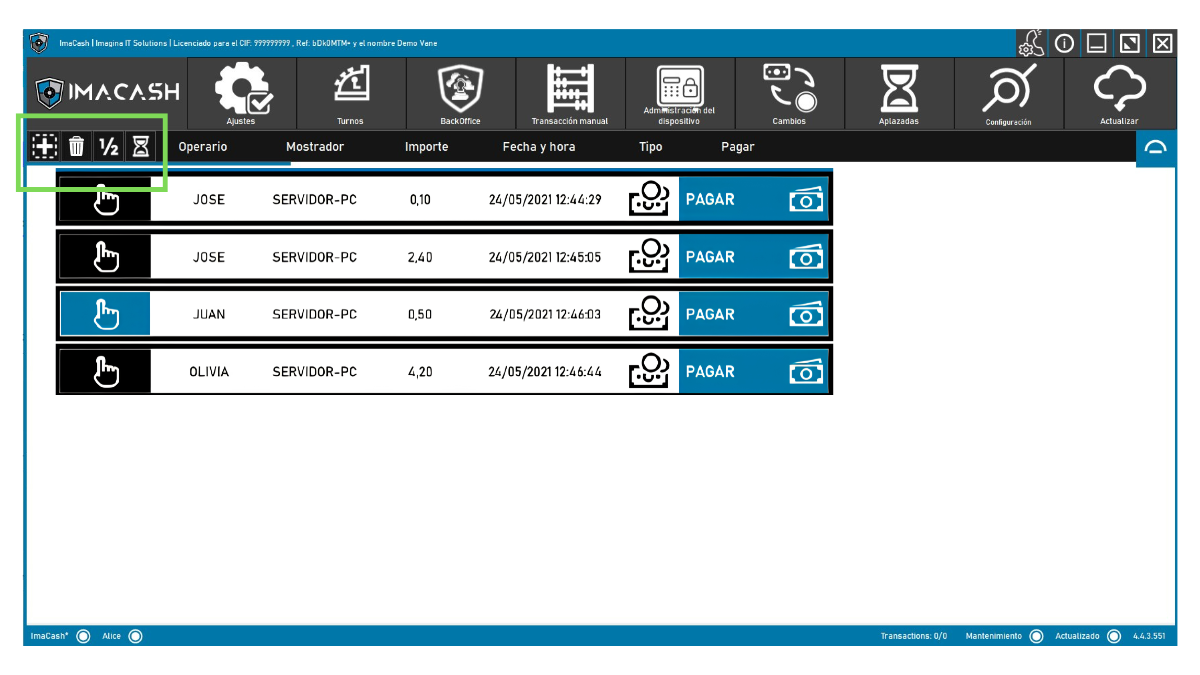
En la pantalla principal pueden aparecer las operaciones que ImaCash recibe desde el POS/TPV o que se han generado dentro del propio sistema.
Si una operación aparece pendiente, significa que todavía requiere una acción: cobrar, abonar, aplazar, cancelar, revisar o completar según el caso.
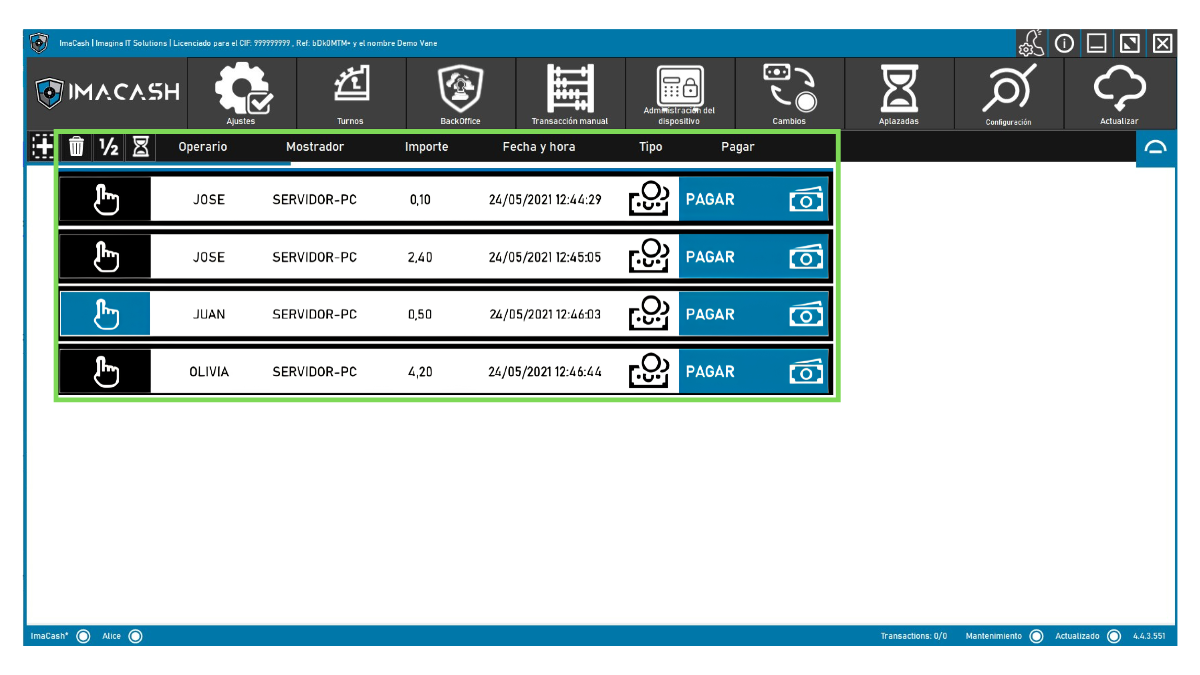
En la parte superior de la pantalla principal encontrarás accesos a las secciones principales de ImaCash. Los botones visibles pueden variar según la instalación, los permisos del usuario y los módulos activos.

Permite acceder a opciones generales de configuración, usuarios, filtros y otros parámetros del sistema, según permisos.
Permite abrir, continuar, cerrar o vaciar turnos, según la configuración del establecimiento.
Agrupa funciones administrativas o de gestión que pueden variar según la instalación.
Permite registrar una operación directamente desde ImaCash cuando no llega automáticamente desde el POS/TPV.
Permite acceder a funciones relacionadas con la máquina de efectivo, como movimientos, inventario, vaciados, rellenados, mantenimiento o discrepancias, según el dispositivo instalado.
Permite realizar operaciones de cambio de efectivo.
Permite revisar o recuperar operaciones aplazadas o pendientes.
Permite acceder a ajustes técnicos o avanzados de ImaCash, integración, dispositivo, comunicaciones o módulos activos, según permisos.
Permite actualizar o refrescar información del sistema, según la configuración disponible.
Algunas funciones específicas, como atascos, discrepancias, stacker, informes, filtros, tarjeta o configuración de máquina, pueden encontrarse dentro de estas secciones y no necesariamente como botones directos en la pantalla principal.
En la esquina superior derecha de ImaCash encontrarás varios iconos de acceso rápido. Estas opciones no están relacionadas directamente con una venta, sino con soporte, información de licencia y control de la ventana del programa.
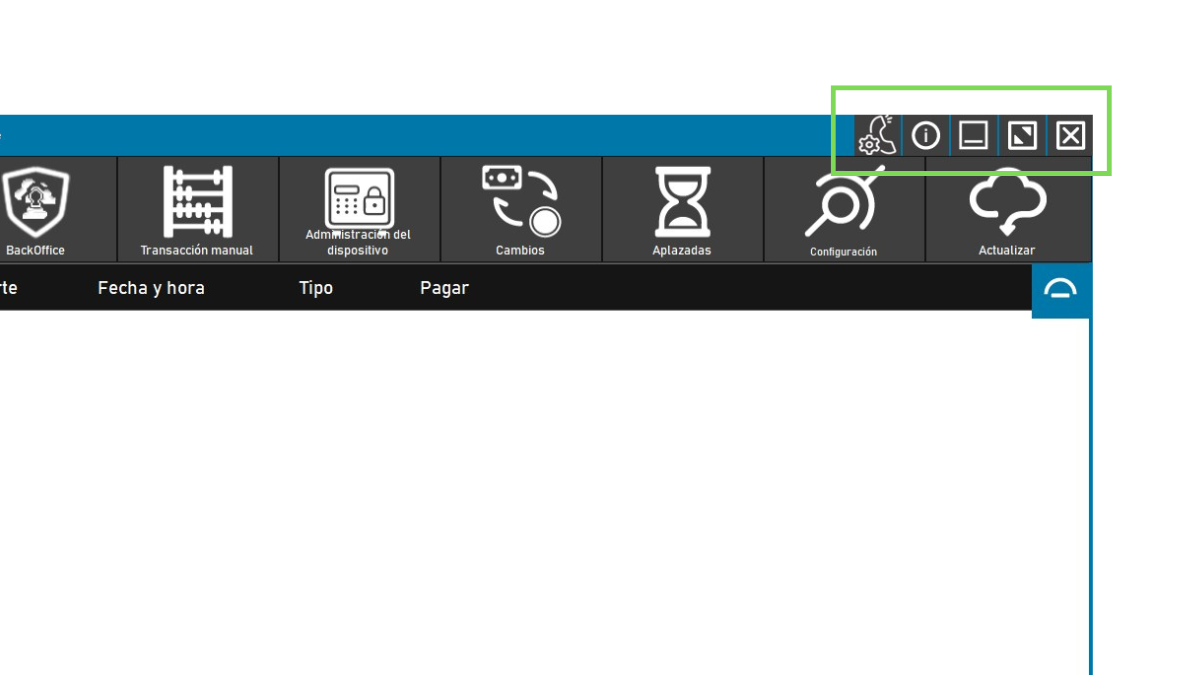
El icono de soporte permite acceder al portal de ayuda de Imagina IT Solutions.
Desde este portal puedes reportar incidencias, crear solicitudes relacionadas con ImaCash o consultar temas vinculados a tus licencias.
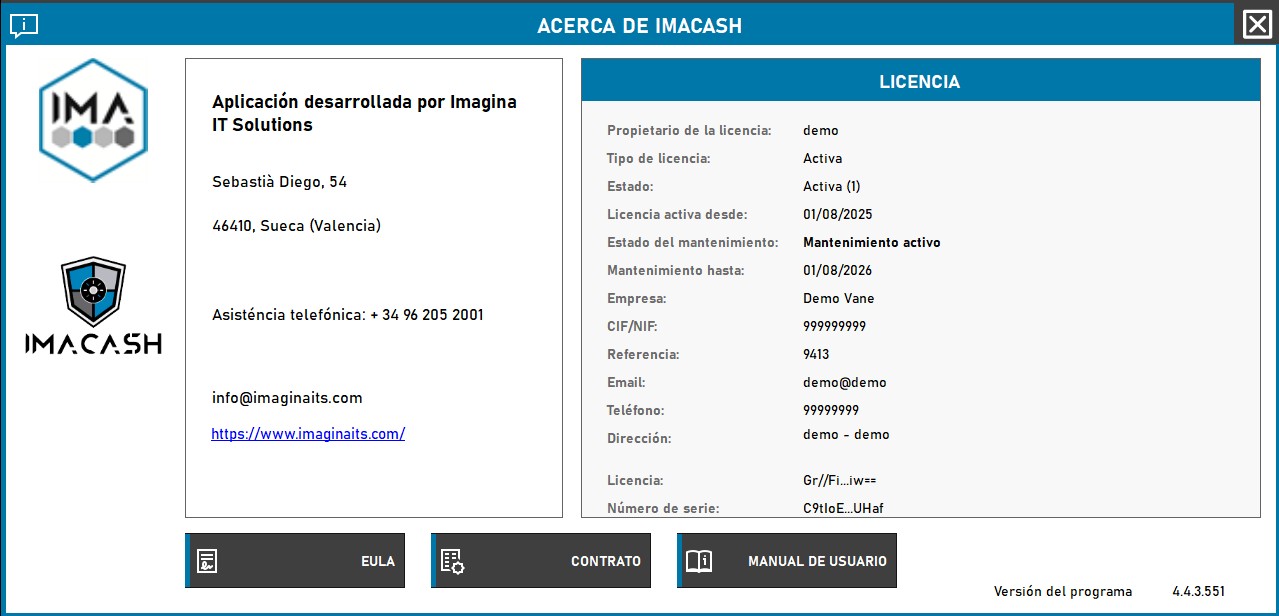
El icono de información abre la ventana Acerca de ImaCash.
Desde esta pantalla puedes consultar datos importantes de la instalación, como:
El icono de minimizar oculta la ventana principal de ImaCash en la barra de tareas o deja el programa en segundo plano, según la configuración del equipo.
Utilízalo cuando necesites apartar ImaCash temporalmente sin cerrar el programa.
El icono de maximizar permite ampliar la ventana de ImaCash o restaurarla a su tamaño anterior.
Puede ser útil si necesitas ver mejor la lista de operaciones o trabajar con ImaCash en pantalla completa.
El icono de cerrar cierra el programa.
Antes de cerrar ImaCash, revisa que no haya cobros en curso, operaciones pendientes, discrepancias abiertas o procesos de máquina activos. Si estás en medio de una operación, espera a que finalice antes de cerrar.
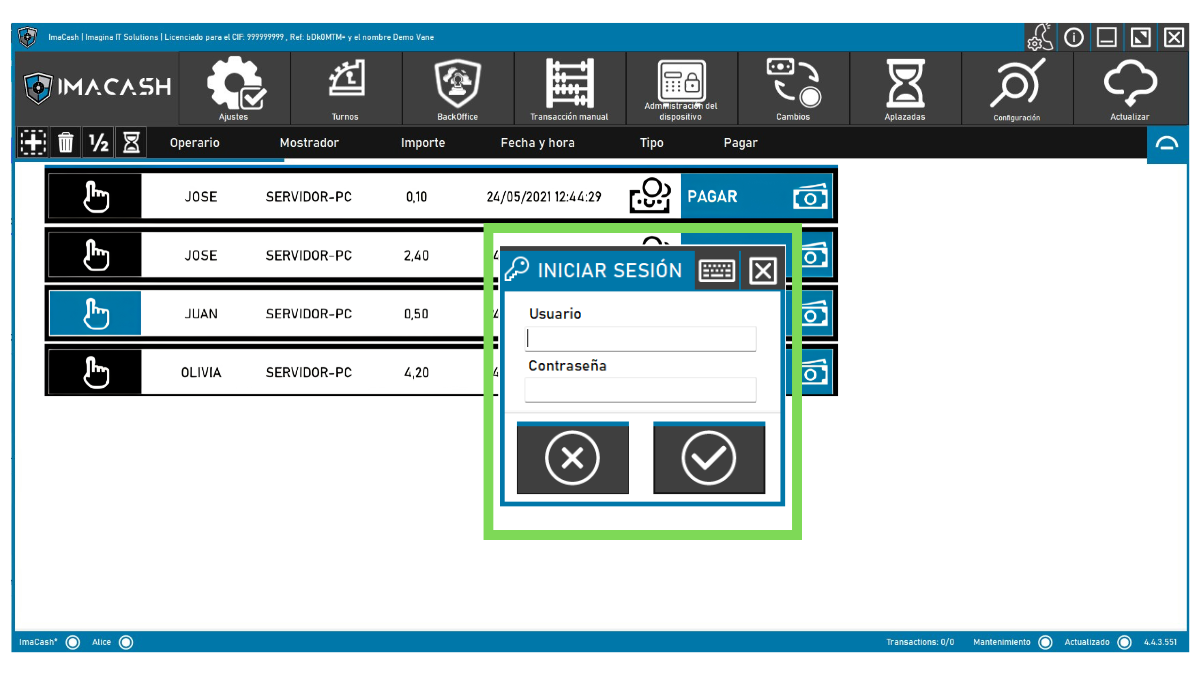
ImaCash registra quién realiza cada operación. Por eso, algunas acciones pueden solicitar identificación antes de continuar.
Si el sistema solicita usuario y contraseña, selecciona tu perfil e introduce tus credenciales. Si tu instalación utiliza NFC, podrás identificarte con la tarjeta o dispositivo configurado.
La pantalla principal también ayuda a saber si la máquina de efectivo está lista para trabajar.
Si aparece un aviso, revisa el mensaje antes de continuar. Algunas incidencias pueden resolverse desde ImaCash, pero otras requieren revisar físicamente la máquina o contactar con soporte técnico.
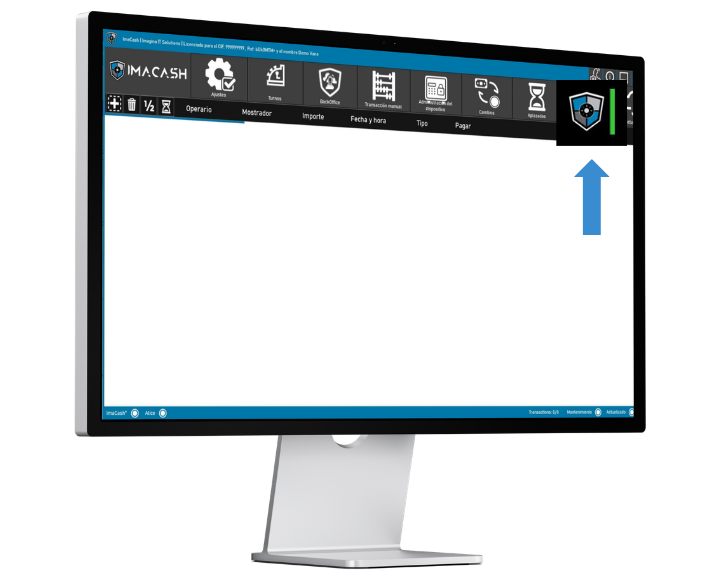
En algunas instalaciones ImaCash puede iniciarse minimizado o mostrar un icono flotante. Esta opción permite mantener el sistema activo sin ocupar toda la pantalla.
Desde el icono flotante puedes volver a abrir ImaCash cuando necesites revisar operaciones o realizar una acción.
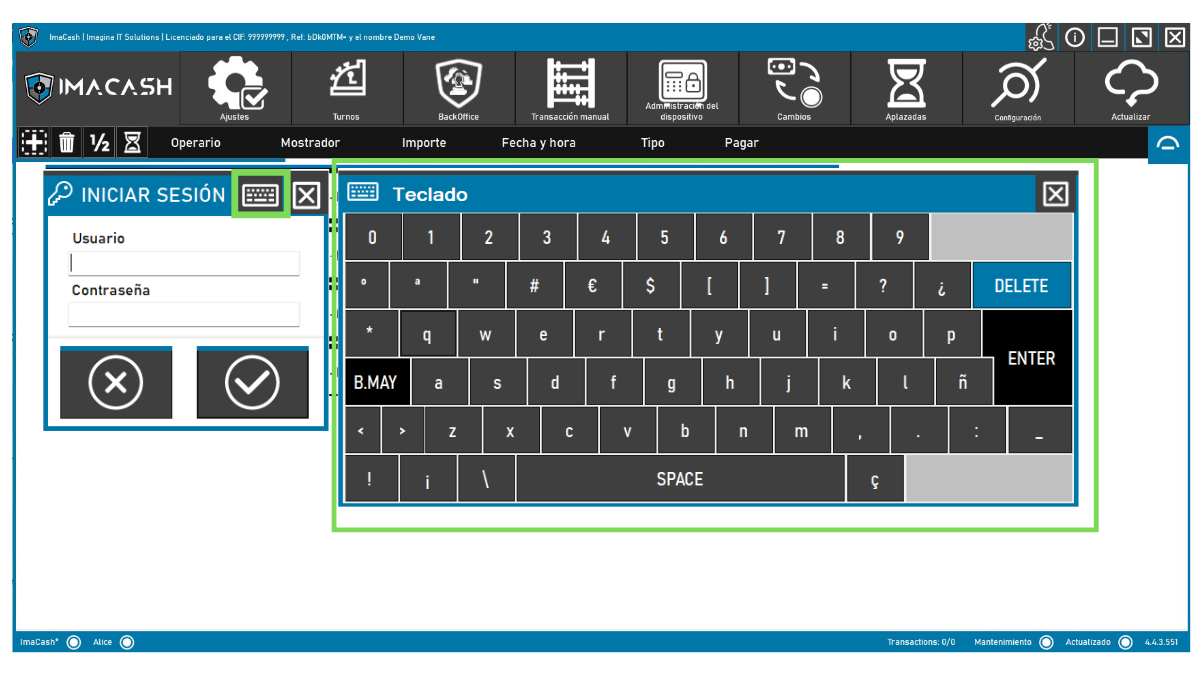
ImaCash puede mostrar un teclado virtual para facilitar la introducción de datos en pantallas táctiles o equipos sin teclado físico.
Este teclado puede utilizarse para introducir importes, usuarios, contraseñas, conceptos u otros campos según la operación.
Si una opción no aparece en tu pantalla, revisa estas posibilidades:
Si necesitas realizar una acción que no ves, consulta con el encargado, administrador o soporte técnico.
Con esta revisión inicial evitarás errores antes de cobrar, devolver cambio o cerrar operaciones.
Do you need help with ImaCash?
If you want us to review your case, we can guide you on deployment, SMTP configuration, daily use of the system or integration with your environment.
 Soporte técnico
 Información de ImaCash
 Minimizar
 Maximizar o restaurar
 Cerrar