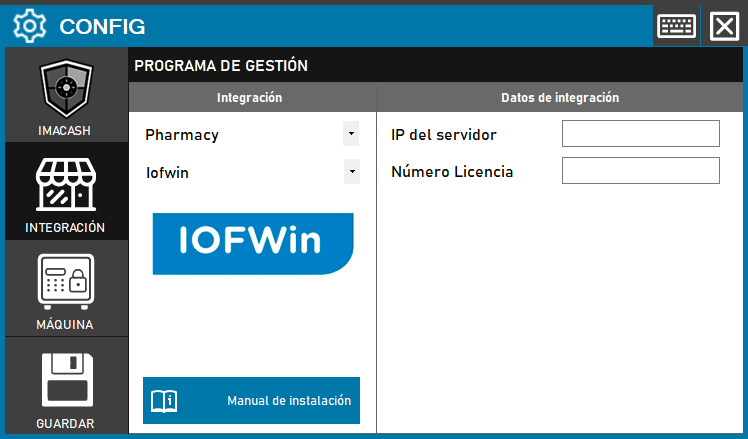
The technician must fill in the details for the installation where “IOFWIN” is installed.
- Server IP (the following path is the default one).
- In “License Number”, enter the license code provided by IOFWIN.
- The IOFWIN libraries must be placed in the folder where ImaCash is installed.
Steps to follow
- CONFIG → INTEGRATION in ImaCash.
- Management Program:
- Category: Pharmacy
- Integration: Iofwin
- Integration data:
- Server IP: Enter the IP address of the server where Iofwin is installed.
- License Number: Enter the license code that Iofwin will provide.
- Libraries: Put the Iofwin libraries in the folder where ImaCash is installed.
- Save: Click the SAVE button (floppy disk icon).
Important: This integration will have an additional cost to the ImaCash license.