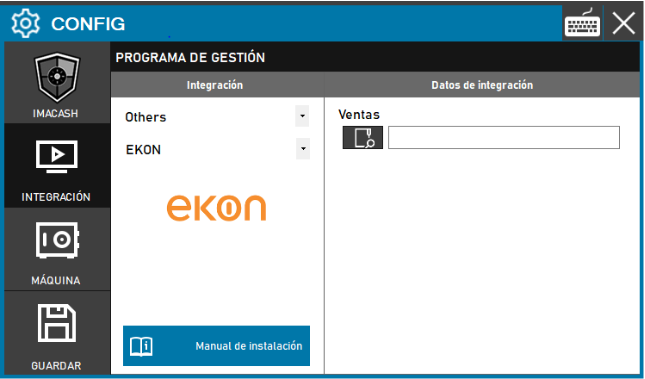
To integrate Ekon software with ImaCash, the technician must specify the full path of the folder where the Ekon management software stores sales files.
Steps to follow
- CONFIG → INTEGRATION in ImaCash.
- Management Program:
- Category: Others
- Integration: EKON
- Integration data:
- Sales: Enter or locate the full path of the Ekon sales files directory.
- Save:
- Click the SAVE button (disk icon).