

While working in the POS, ImaCash may be behind another window just when we want to check a sale. We have been refining a small shortcut to keep it within reach: the floating icon. Today we take a closer look at that shield, the click that brings the window back and a visual signal that follows the pending list.
Return without searching through windows
Clicking the shield brings ImaCash back if it is minimised or behind other windows. If its window is already at the front, the same gesture minimises it. This helps us switch between the POS and ImaCash without keeping a large toolbar on screen.
An already open payment window and the application’s own dialogs take priority. Bringing a dialog back does not accept it. Windows also controls whether an application can take the foreground, so it is worth checking the behaviour on the workstation where it will be used.
The colour follows the list
With the option enabled, a steady green halo keeps the shortcut visible when there are no pending sales. When sales are pending, the red halo pulses. We can find the shortcut and see at a glance whether the list needs attention. These colours describe pending items in ImaCash; they do not confirm cash or the physical condition of the cash drawer.

Choose a convenient shortcut
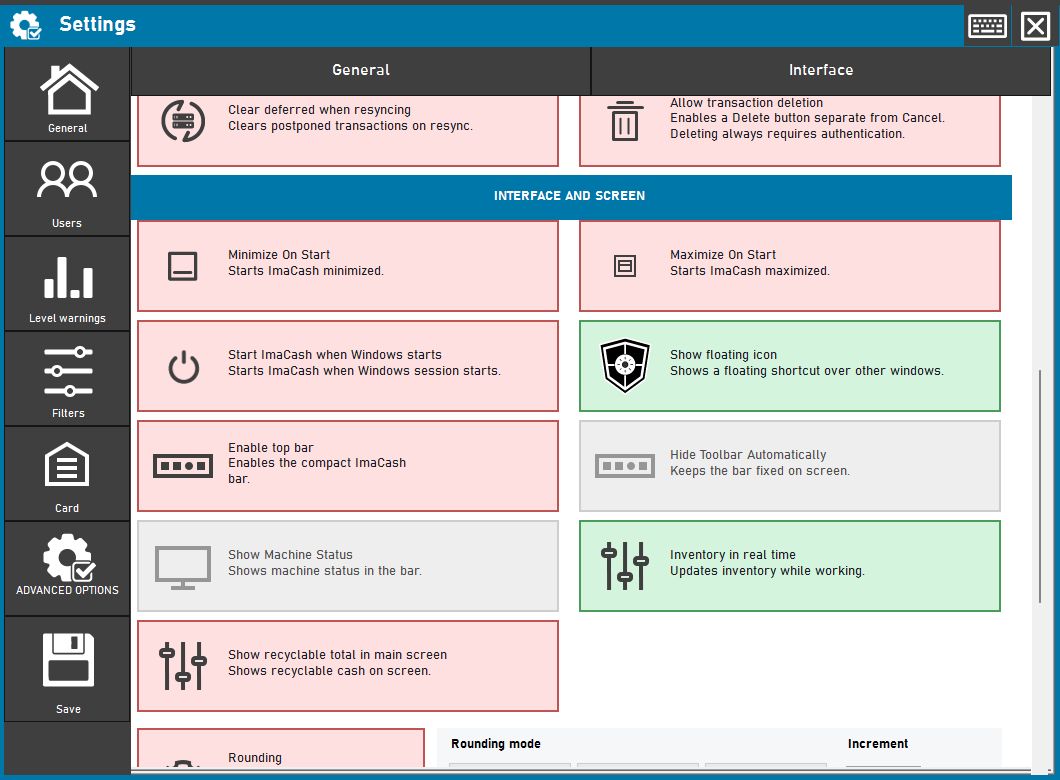
The option is under Main > Settings > General > General > Interface and screen. Users with permission to change General settings can enable it and use Save. It is worth checking the choice afterwards: closing the window does not apply a pending change on its own.
We can also drag the shield out of the way. Releasing it attempts to save its position independently of Save in Settings. The gestures have different purposes: clicking changes the visible window; dragging places the shortcut where it is useful.
Already included in the stable version
Switching windows with one click was delivered in beta 1507 on 27 October. Later, beta 1547 kept the shield visible with a green halo when there were no pending items. Both improvements are included in the published stable version 1557 available when this article was checked. In the earlier stable version 1529, the shield disappeared when the list became empty.
The images show the actual design and a native control in isolated demonstrations, with their origin stated; they are neither a customer installation nor new captures of 1557. The manual provides the full route and a video guide to help identify the option before changing it.