

SafePay with ImaCash: connection and configuration
Configure SafePay using the device connection, CashControl and profile confirmed by the provider. Keep installation details private.
The Gunnebo reference identifies the equipment on this page. Consult Sesami for current corporate information and confirm support for your installation with the provider.
Ask the provider for SafePay/CashControl connectivity software compatible with ImaCash, the installed model and modules, currency and connection parameters. Arrange configuration with no cash operations in progress.
- In Configuration > Machine, select SafePay and the CR2 or CR3 type matching the device. CR2 and CR3 identify coin recyclers in the range; the provider must also confirm the complete system and banknote modules. They are not generic SafePay 2 and SafePay 3 names.
- For a serial installation, enable Utilizar Conexión COM and select the actual COM port. For a network connection, disable that option and enter Machine IP and the communication port specified by the provider. Do not mix serial and network parameters or copy addresses from another installation.
- In Cash control IP, enter the private CashControl destination specified by the provider. This differs from the device destination and is neither a username nor a password. Matching destinations in one installation do not imply they match in another.
- Review version, Level and Multi Work with the provider. Level must be numeric and match the connection profile; do not confuse it with Settings > Warning levels thresholds. Enable Multi Work only if the installation is prepared to share the device.
- Select the hardware’s configured currency, save through the normal workflow and check communication before supervised commissioning. The program’s currency list and a network response do not by themselves demonstrate device support or a complete cash operation.
Confirm the model, firmware, interface version and available functions with the provider. Configuration or a simulated test does not physically validate payments, refunds, inventory or dispensing. This page does not extend compatibility to other Gunnebo or Sesami ranges.
SafePay: confirm the system and modules
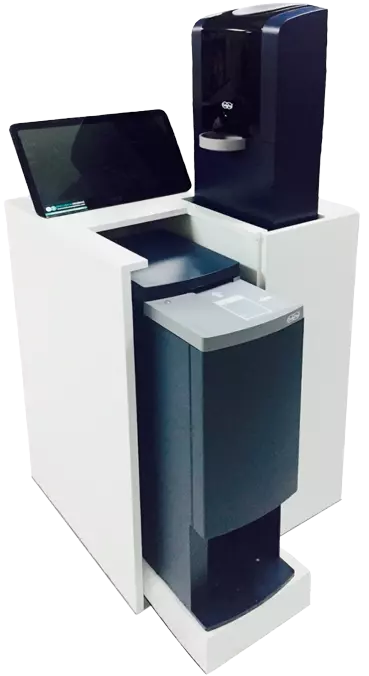
SafePay
SafePay system from the Imagina catalogue. The photograph is a product reference; it does not certify all modules or CR2 and CR3 configurations. Confirm the exact combination before use.