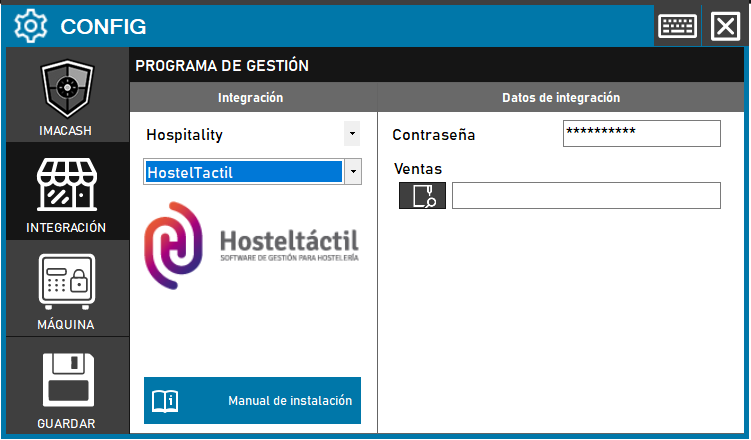
To integrate Hosteltáctil Software with ImaCash, the technician must select the path to the Hosteltáctil Access database file, since the password is already predefined.
Steps to follow
- CONFIG > INTEGRATION in ImaCash.
- Management Program:
- Category: Hospitality
- Integration: Hosteltáctil
- Integration data:
- Contraseña: Private information provided by the administrator. Enter it only in ImaCash.
- Sales: Click on the folder icon and select the full path of the Hosteltáctil Access database file.
- Save: Click the SAVE button (floppy disk icon).