

Atago POS Configuration
To integrate the Atago POS Software with ImaCash, it is essential that both systems reside on the same machine and that a connection is established through a previously configured data bridge.
Critical Requirement: This integration only works locally. Both the Atago management software and ImaCash must be installed on the same physical computer.
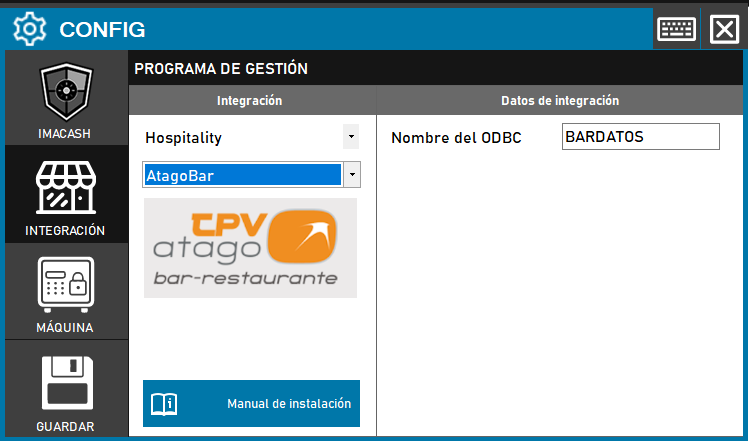
Steps to follow:
Open the CONFIG → INTEGRATION menu in the ImaCash interface.
In the Management Program section, select the following values:
Category: Hospitality.
Integration: ATAGOBAR.
In the Integration data section:
ODBC Name: Enter the name of the ODBC that Atago technicians have created on the computer (a default name is usually used, for example: BARDATOS).
Click the SAVE button (disk icon) to confirm the link.