

Taking payments is only part of working with a cash machine. We also need to prepare the float, choose the pieces we need or empty the recyclers. We have extended the ImaCash Cashmatic connector with dedicated assistants for these tasks. Today we look at that extension, keeping one distinction in view: having the software does not mean that every machine model has been validated.
When we introduced Cashmatic in October, the initial integration focused on payments, refunds and withdrawals by amount. We then added cash administration. This extension was first delivered in beta 4.4.3.1503 on 27 October; this article takes a closer look at that advance, which we had already mentioned briefly.
A top-up has its own start and finish
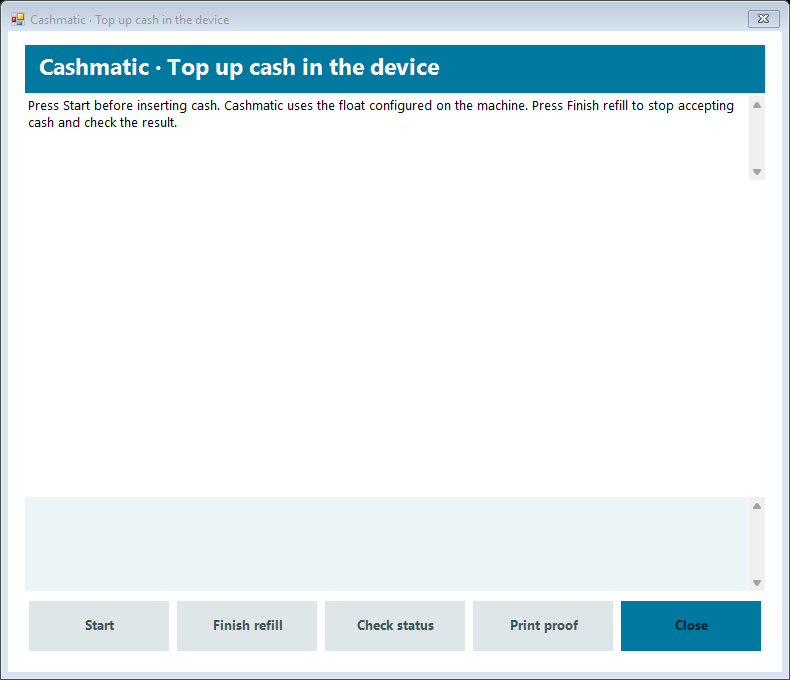
The top-up is under Device administration > Movements > Top up. Its window separates Start from Finish refill: first it requests cash acceptance, then it requests a stop and checks the result. Cashmatic applies the float set in the machine’s own configuration. Finishing does not return the inserted pieces or turn the task into an unrestricted deposit.
Choose the pieces before requesting an exchange
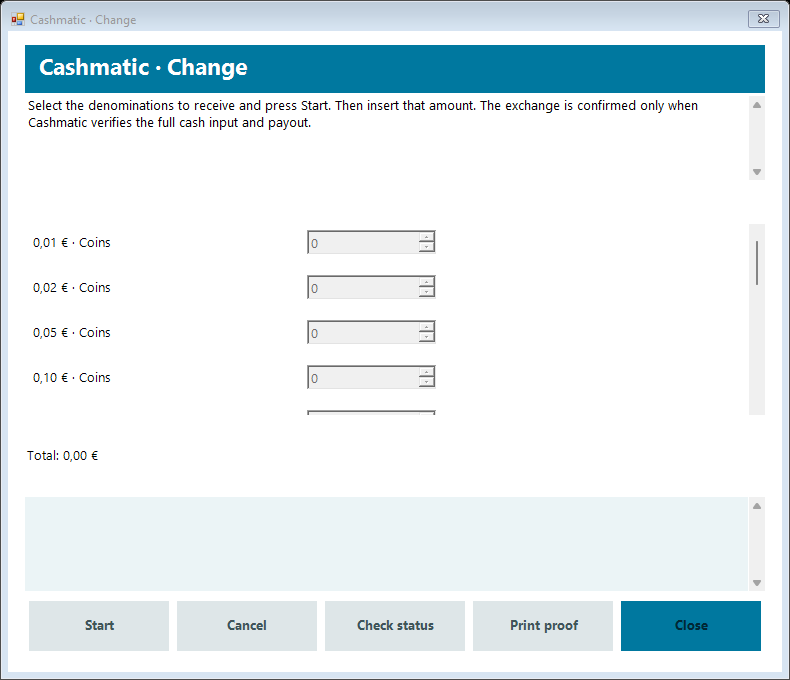
In the Change assistant, we choose the denominations and quantities to receive before pressing Start. This lets us review the proposal and its amount before inserting cash. Availability is read and checked again at the start; the exchange can only be confirmed when the device verifies the full cash input and payout. Permissions and the identification mode continue to apply.
Emptying recyclers does not remove the cashbox
Emptying offers Complete, Coins only and Notes only. The destinations matter: coins are paid out and notes move to the cashbox. Emptying the recyclers does not physically extract the cashbox or allow its counters to be reset as though its contents had been removed. We have kept these procedures separate so that the name of one action does not promise another.
We have also paid attention to interpreting the result. An accepted start or a return to idle is not enough to consider a movement complete. Check status reviews the same pending operation, and a receipt is offered when the result has been recorded and a printer is configured. If the response is uncertain, check the operation and physical cash with the technical contact, without repeating the command or restarting to clear it. Closing a window does not cancel cash movements.
Published software, device commissioning still to check
The extension is included in stable 4.4.3.1584, available when this article was checked. The connector remains in the integration beta phase: we are not announcing universal compatibility or physical validation of models or firmware. Before commercial use, the supplier must confirm the API, authorised functions and identification of the application’s own operation, followed by a supervised test of the complete flow. A private account, HTTPS, exclusive device use and permissions for each task remain requirements.
The images show real forms prepared in an isolated lab from revision 1573, without connection, identification or movements. They do not show a 1584 installation handling cash. We have brought the full procedures and their videos together in the manual so that each option can be reviewed in context.