
Table of contents
main screen
When ImaCash starts, the first thing we see is the main screen.
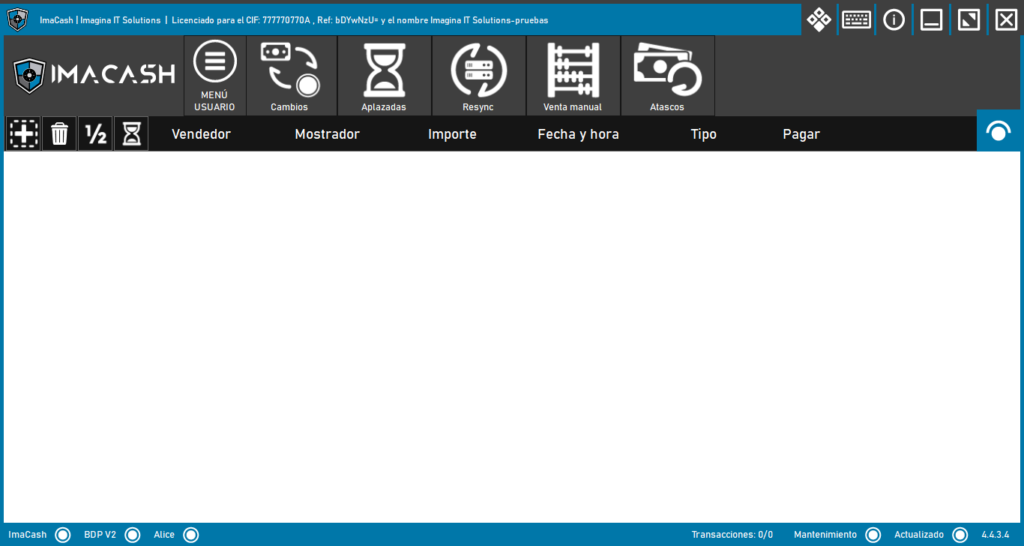
On the main screen we will find 2 menus (user menu and admin menu) that contain different functions and that we will explain in detail later.

Below the menu we can find several text fields that will provide us with information about the transactions that are being carried out:
• Seller: Indicates which user carried out the transaction.
• Counter: Indicates where the transaction was carried out.
• Amount: Indicates the transaction amount.
• Date and Time: Indicates when the transaction was carried out.
• Type: Indicates the transaction type (cash, card or mixed).
• Pay: Used to complete the transaction.
From here we can see all the information of all those transactions that are being carried out at the moment:


In the upper left part we can find 4 small buttons that allow us to perform different actions:

Group all
Selects all transactions in progress.

Delete
Delete the selected sales.

Split payment
Allows split payments.

Defer
Allows multiple deferred payments.
In the upper right part we can find the following “eye” when pressing it, a menu will be displayed that indicates the existence of cash from the cash control device:
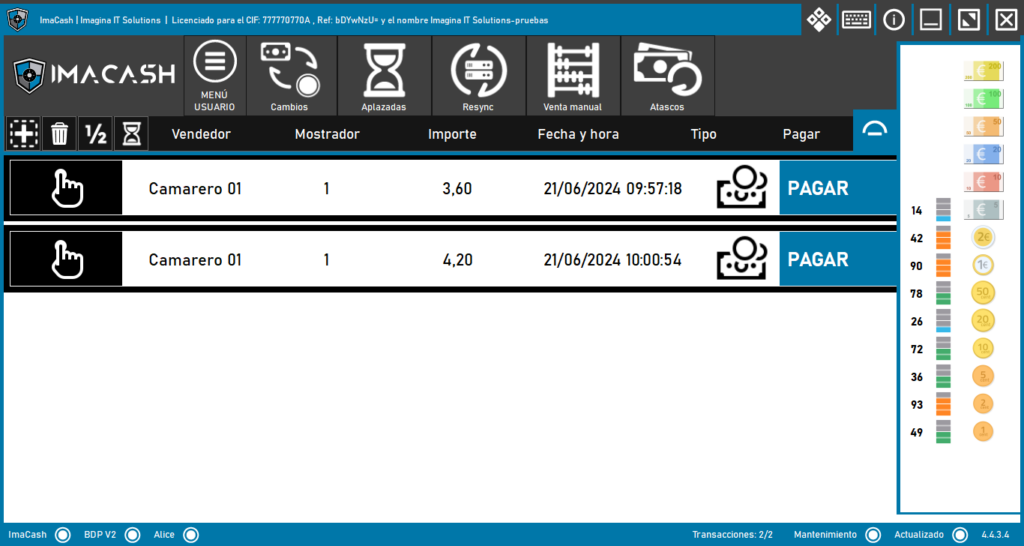

At the bottom of the main screen we will find the following checkboxes where we can verify that everything is working correctly:
• ImaCash: The databases are connected to ImaCash.
• Integration: The server databases are connected to ImaCash.
• Machine: The cash control device is connected to ImaCash.
• Transactions: Indicates how many transactions are in progress and whether any are pending.
ImaCash will show up to 25 transactions on the screen, as the transactions are carried out the following ones will appear.
• Maintenance: Indicates whether support and automatic updates are active.
• Updated: Indicates the ImaCash version.

In the upper right part we can find different buttons that allow us to perform different actions:

Configuration
Allows access to the configuration of the POS system and the cash control device.

Delete
Shows the contracted modules other than ImaCash for interconnection.

Keyboard
Displays a virtual keyboard to interact with ImaCash.

Information
Shows information about ImaCash.

Minimize
Minimize ImaCash.

Maximize
Maximize ImaCash.

Restore
Restore ImaCash.

Close
Close ImaCash.
Configuration
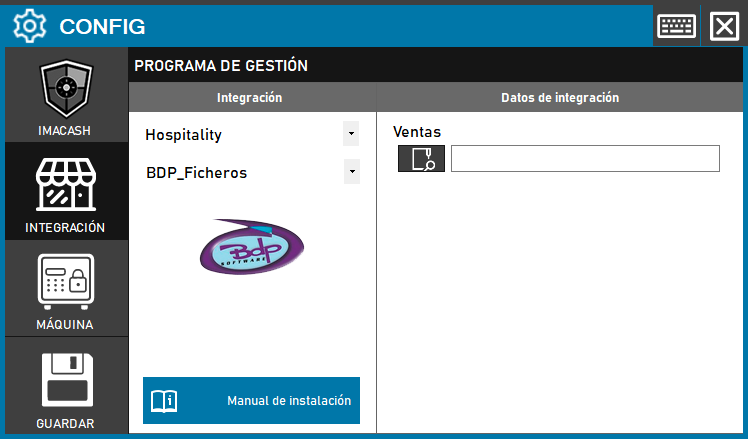
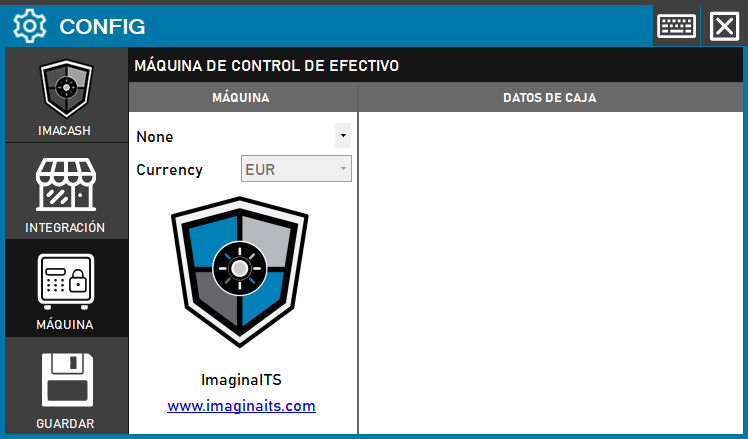
From here the installation of the ImaCash databases, the configuration with the POS system and the configuration with the cash control device will be carried out.
This button will be visible during the first 10 days from the activation of the ImaCash license.
IMACASH: Allows the installation/uninstallation of the ImaCash DB.
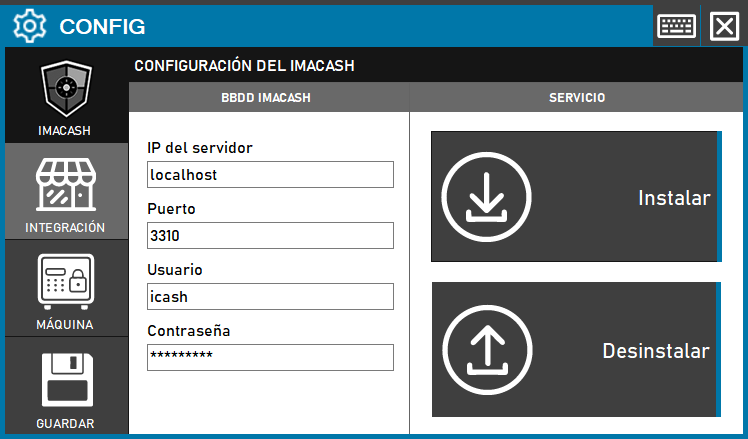
INTEGRATION: Allows the configuration of all those POS systems compatible with ImaCash.
MACHINE: Allows the configuration of all cash control devices compatible with ImaCash.
Save
From here the configuration or modifications made in the «Configuration» menu will be saved.