

CashGuard: Set up CashGuard in ImaCash
Installation and permissions
Ask the provider to prepare the device’s CashGuard communication and software and confirm its model, version and available interface. Keep CashPayment closed while ImaCash uses the connection.
Configuration requires the ImaCash permission to access Configuration. Permissions to take payments, refund or withdraw cash are separate, including on the device; ask your administrator or distributor to confirm those required for each operation.
Inventory reading depends on the model, device software and installed API. Older devices may support payments and refunds even when this connection does not provide exact inventory. Ask the supplier to confirm the available functions and, if inventory is required, the compatible interface or update. Viewing stock in Store Manager does not guarantee that ImaCash can access the same reading.
Steps in ImaCash
- From Main, open Configuration, identify yourself with permission to access Configuration, then open Machine. Select CashGuard with no operations in progress. Changing the selection prepares the profile; it does not establish a connection or confirm saving.
- Under Model, select Premium, Compact or Unico as confirmed by the provider for this installation. Core has no dedicated selection: explicitly confirm its interface and profile before setup; do not choose Premium based on resemblance.
- Premium uses COM Port. Select the assigned port or AUTO to attempt detection. Compact and Unico also use COM when IP is not configured. A successful check may retain the detected port; review the resulting selection.
- For Compact or Unico over TCP, enter the private address confirmed by the administrator under IP and the service port confirmed by the provider under Port. Entering a valid IP selects TCP instead of COM. Use only the authorised private network; do not publish these details or expose the service to the Internet.
- CashGuard fixes EUR in ImaCash. Confirm this profile with the provider; other currencies offered by the manufacturer do not demonstrate their availability in this connector.
- Closing with X while changes are pending offers Save, Continue editing and Exit without saving. Save runs checks in phases; for CashGuard it may attempt to detect the COM or TCP connection. Review each phase result and reopen Machine to check the model, connection and EUR. This selection does not request a machine username or password.
Continue editing returns to the proposal. Exit without saving discards pending changes, but does not undo phases already saved or cash operations. If a check fails, review the model, private details, available port and software prepared by the supplier before retrying. A connection does not certify all functions or physical validation; commissioning requires supervised checks.
Demonstration using real forms prepared separately, with private fields empty. No user identification, port lookup, connection, saving or cash movement takes place. Scene changes show options, rather than the result of performing those actions.
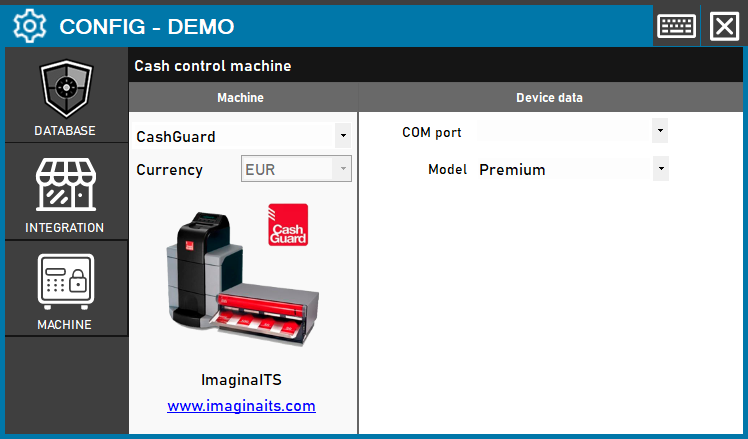
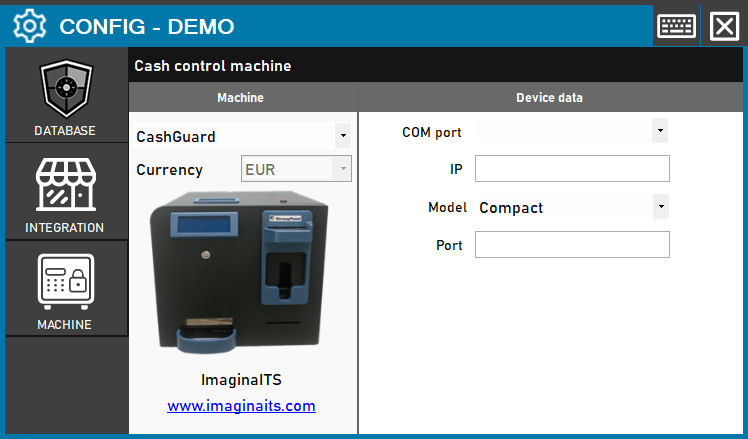
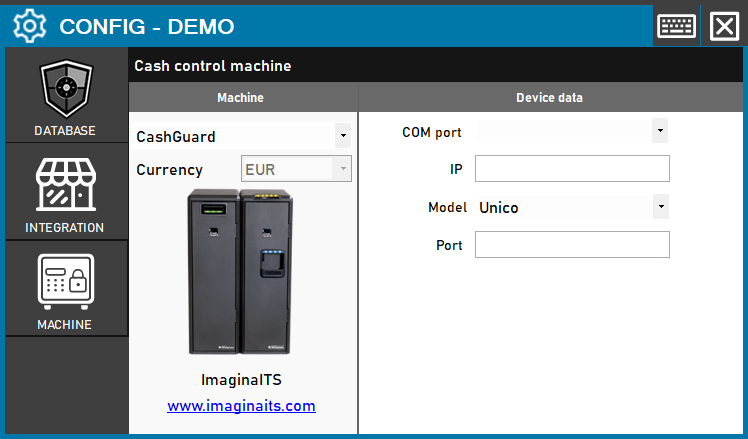
CashGuard: from Configuration access to reviewing the profile
Video steps and text alternative
- From Main, Configuration opens the protected route. Identify yourself with permission to access Configuration; the demonstration does not perform that identification.
- In Configuration, open Machine and choose CashGuard. The selection prepares the fields; it does not confirm a connection or a saved configuration.
- Under Model, select Premium only when it matches the confirmed installation. This profile uses COM Port.
- In COM Port, enter the assigned port or AUTO to attempt detection. It remains empty here: no ports are queried and no connection is tested.
- Compact shows IP and Port as well as COM. Only a valid private TCP configuration selects that transport; consult the supplier.
- Unico also allows COM or TCP depending on the installation. Do not confuse Unico with Uni or infer a profile for Core.
- EUR is fixed for CashGuard. This selection does not request a machine username or password; other usage permissions are separate.
- X with pending changes offers phased saving, continued editing or exit without saving. Review the notices and reopen Machine; nothing is saved here.
View the references on StrongPoint’s website
CashGuard references

CashGuard Premium
CashGuard Premium is the modular reference shown in this photograph. In ImaCash it corresponds to the Premium selection and a COM connection. Confirm the device, software and operations with the provider before commissioning.

CashGuard Core
CashGuard Core is a manufacturer reference retained in this catalogue. The current ImaCash selector has no dedicated Core profile; the provider must explicitly confirm the installation’s interface and profile. This page does not demonstrate physical compatibility.

CashGuard Unico
CashGuard Unico is the reference shown in the photograph. ImaCash’s Unico selection allows COM or TCP according to the configuration prepared by the provider. Unico and CashGuard Uni are distinct references; equivalence is not assumed.

CashGuard Compact
Compact is the single-unit CashGuard solution shown in the photograph. Select Compact in ImaCash, using COM or TCP according to the installation. Confirm the model, software and functions with the provider.