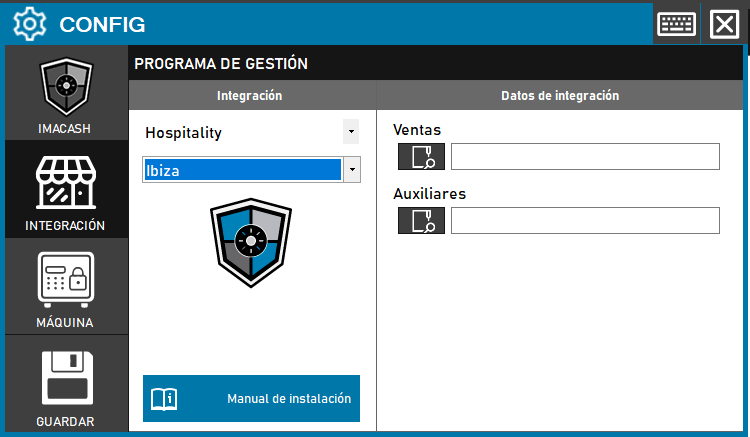
To integrate Ibiza Software with ImaCash, the technician must specify the full path of the directory where the Sales files are located; the Auxiliaries folder path is optional.
Steps to follow
- CONFIG > INTEGRATION in ImaCash.
- Management Program:
- Category: Hospitality
- Integration: Ibiza
- Integration data:
- Sales: Click the folder icon and enter or locate the full path of the Sales directory.
- Auxiliary: If you have this folder, you can enter the path (optional).
- Save: Click the SAVE button (floppy disk icon).