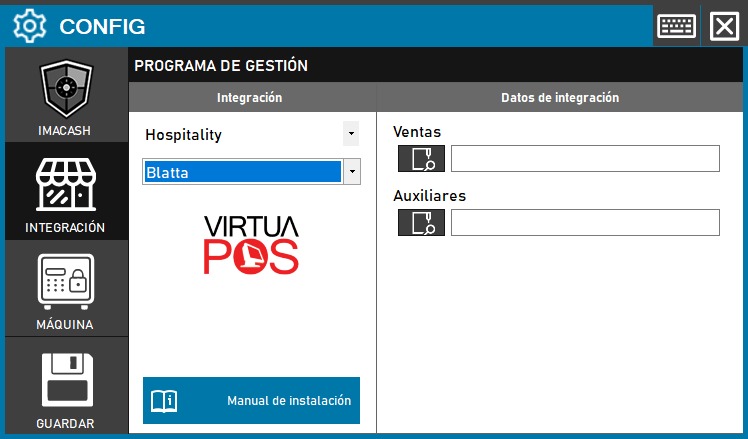
Blatta configuration
To integrate Blatta with ImaCash, follow these steps in the program:
- Access the Integration section:
- Go to CONFIG > INTEGRATION in your ImaCash system
- Configures the integration parameters:
- In the «Hospitality» field, select Blatta from the dropdown menu
- The system will display the VirtuaPOS logo, confirming the integration
- Configures data paths:
- Sales: Enter the path where Blatta saves sales files
- Auxiliary: Enter the path where Blatta's auxiliary data is stored
- Save the configuration:
- Click the SAVE button