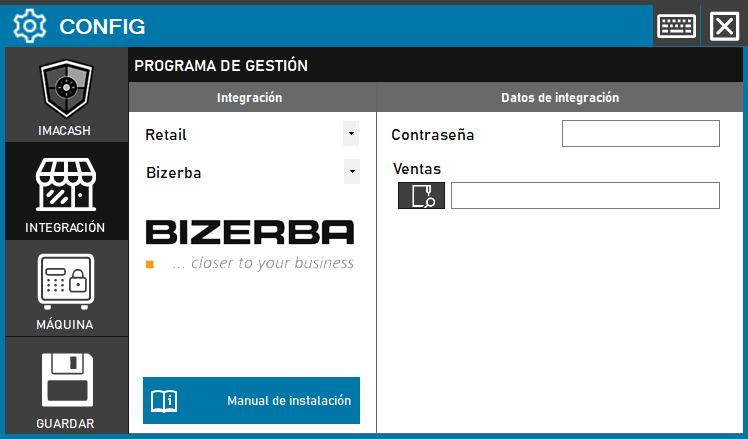
Bizerba (standard integration)
To integrate Bizerba in standard mode, the technician must specify a password and the path where sales are stored.
Steps to follow
- Access the integration settings:
- Go to CONFIG > INTEGRATION in your ImaCash system
- Select the POS system:
- Select the POS category, in this case “Retail”
- Next, select Bizerba from the dropdown menu
- Complete the configuration data:
- Contraseña: Private information provided by the administrator. Enter it only in ImaCash.
- Sales: Click the folder icon and enter or select the full path where Bizerba stores sales files
- Save the configuration:
- Click the SAVE button (save icon) at the bottom left