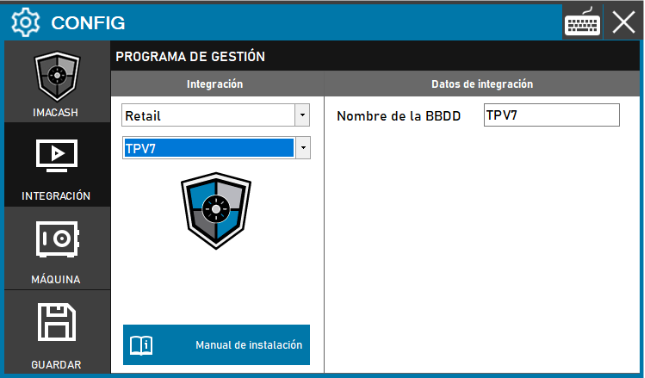
Action required: the technician must specify the database identifier corresponding to the client installation to enable communication between systems.
Steps to follow:
- Access the CONFIG → INTEGRATION menu in the side interface of ImaCash.
- In the Management program section, select the following values:
- Category: Retail.
- Integration: TPV7.
- In the Integration Data section, fill out the required information:
- Database name: enter the name assigned to the management database (example: TPV7).
- Click the GUARDAR button (floppy disk icon) to apply and validate the settings.