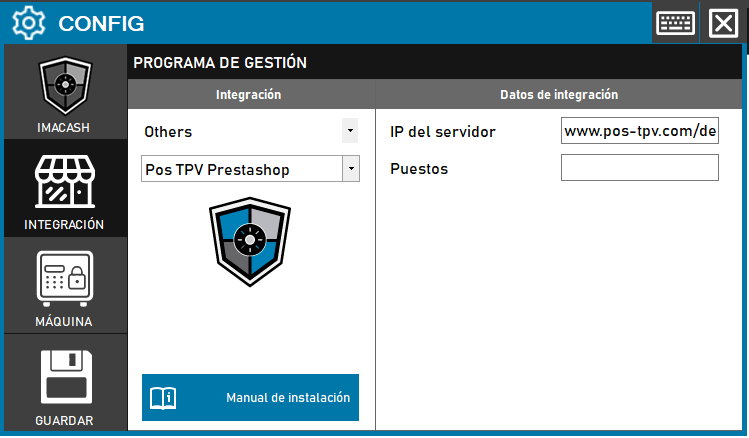
To integrate the Pos TPV Prestashop Software with ImaCash, the technician must enter the URL of the server (server IP) where the store or service is hosted, as well as the Pos TPV Prestashop Software. such as specifying the name or identifier of the corresponding Sales Post.
Steps to follow
- CONFIG → INTEGRATION in ImaCash.
- Management Program:
- Category: Others.
- Integration: Pos TPV Prestashop.
- Integration data:
- Server IP: Enter the URL or IP address of the server (e.g. www.pos-tpv.com/de).
- Positions: Specify the name or number of the assigned position.
- Save: Click the SAVE button (floppy disk icon).