

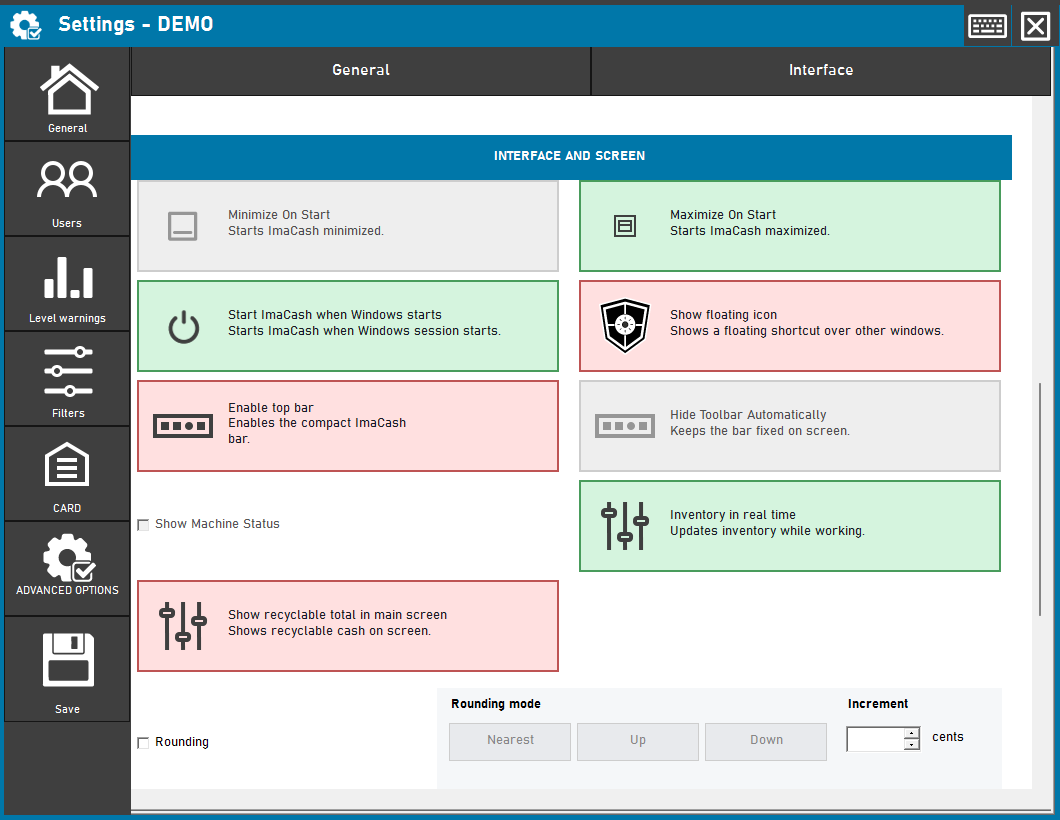
Sometimes I know what I want to do and cannot remember the menu name. Take starting ImaCash minimized. Is that a Windows setting or an option in the app? That small question sums up the manual we are putting together. I want someone arriving with a task in mind to find it by name and recognize the screen in front of them.
From the search box to the setting
You can now search for the guide by title in the manual index and open the window startup guide. The video begins on the main screen and goes through Settings, General, and Interface and display. You can see why one checkbox is disabled. To switch from minimized to maximized, first clear the active option. Starting ImaCash when you sign in to Windows has its own checkbox. The guide also explains the separate permissions for viewing and saving.
When you need help
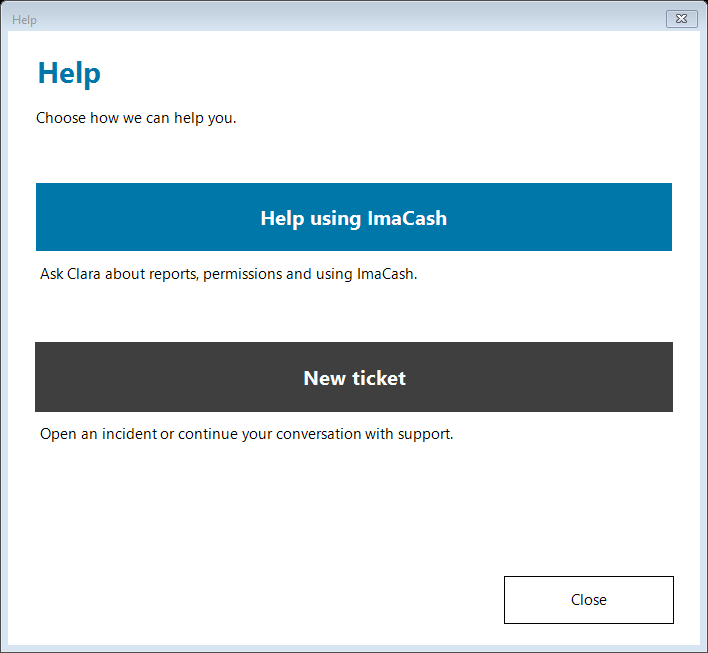
Another walkthrough starts with the Help button. Seeing the whole screen makes it easier to recognize. The next window offers a choice between asking Clara and opening the Support Center with New ticket. The second option opens the center so you can continue there. The guide also explains what to do if ImaCash cannot open.
We are adding walkthroughs one at a time. For those already online, you can follow a captioned video or read the steps at your own pace. Full windows and localized labels help you find your way even if you have not opened the menu for a while.
Open the manual index · Choose how ImaCash starts · Follow the Help walkthrough