Cobro y ventas.
Estas opciones suelen activarse o desactivarse según la forma de trabajar del establecimiento.

ImaCash user manual
La sección Ajustes permite modificar el comportamiento general de ImaCash: cobros, ventas, interfaz, usuarios, permisos, filtros, tarjeta, opciones avanzadas y otros parámetros de uso diario. El acceso puede requerir usuario y contraseña, por lo que no todos los perfiles podrán entrar o modificar la configuración.

Normalmente, Ajustes está reservado para responsables, administradores o personal autorizado.
Si ImaCash solicita autenticación, introduce el usuario y contraseña correspondientes. Si no puedes acceder, puede deberse a que tu perfil no tiene permisos suficientes.
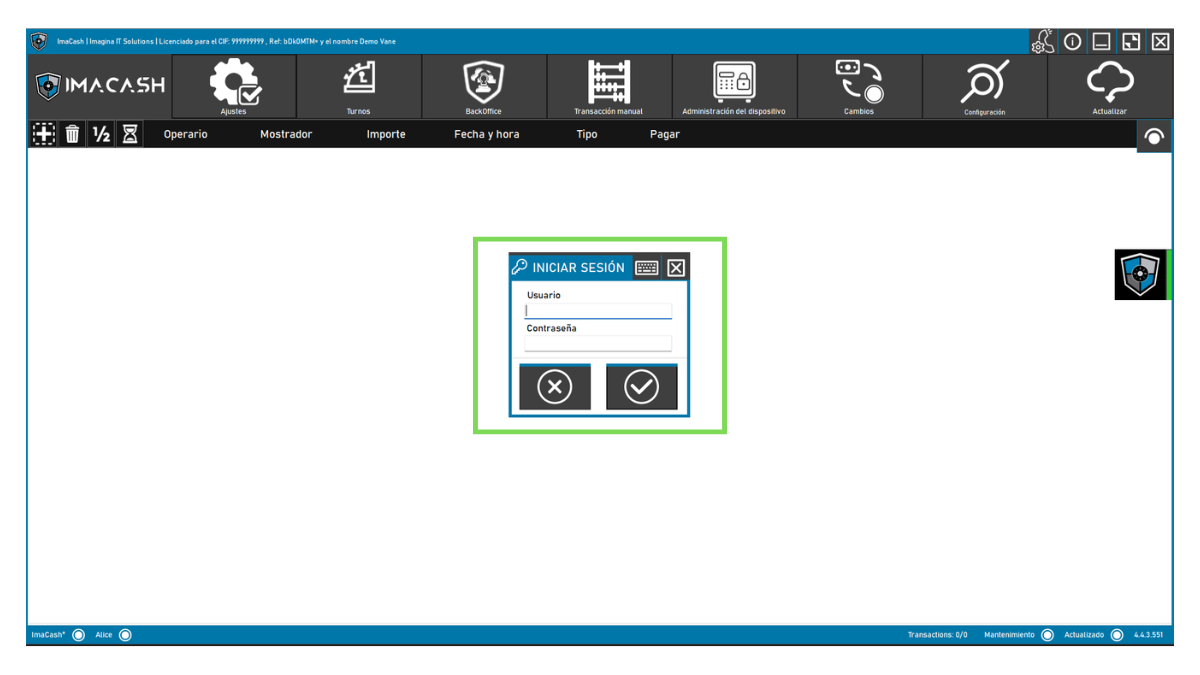
Dentro de Ajustes encontrarás un menú lateral con varias secciones. Cada una controla una parte distinta del funcionamiento de ImaCash.

La sección General reúne opciones de uso diario relacionadas con cobros, ventas, pantalla y seguridad operativa.
Estas opciones suelen activarse o desactivarse según la forma de trabajar del establecimiento.
Estas opciones suelen activarse o desactivarse según la forma de trabajar del establecimiento.
Estas opciones suelen activarse o desactivarse según la forma de trabajar del establecimiento.
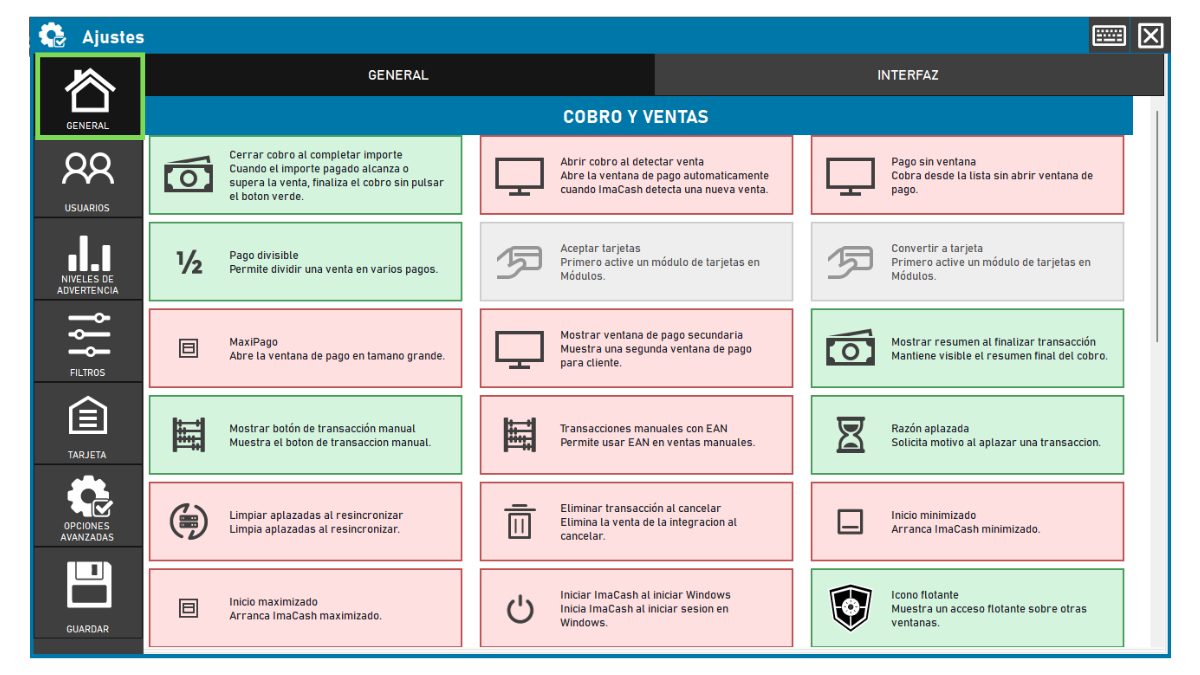
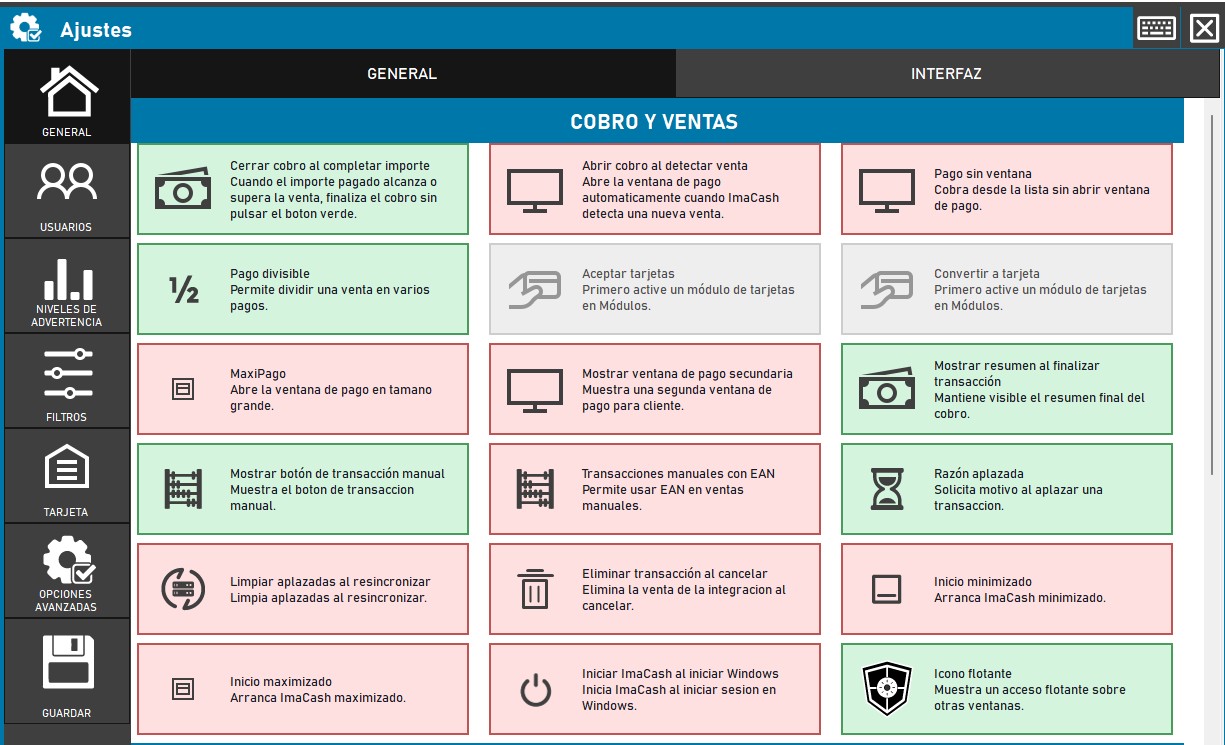
Este bloque define cómo se comporta ImaCash durante el cobro de operaciones.
Aquí puedes activar opciones relacionadas con cierre automático del cobro, ventana de pago, pagos divididos, pagos con tarjeta, transacciones manuales, operaciones aplazadas o comportamiento al cancelar una venta.
Antes de cambiar estas opciones, revisa cómo trabaja el POS/TPV. Algunos ajustes pueden modificar el flujo habitual de caja.
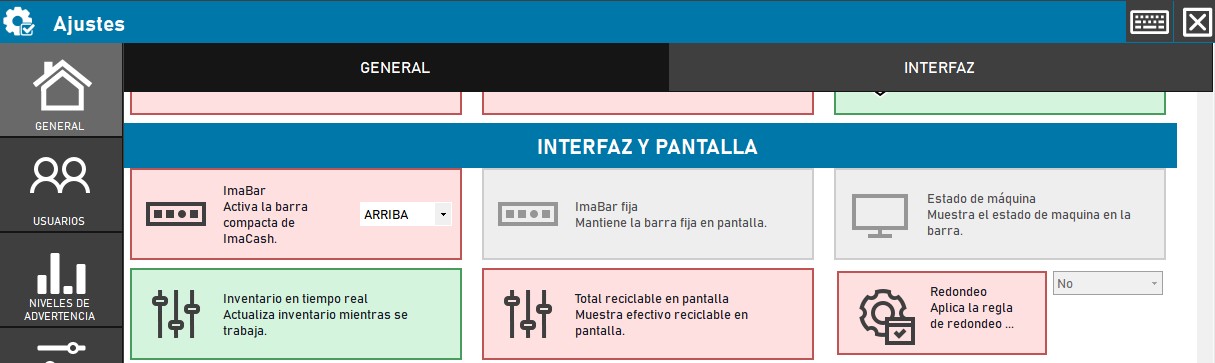
Este bloque controla cómo se muestra ImaCash y qué información queda visible durante la operativa.
Puede incluir opciones sobre ImaBar, posición de la barra, estado de máquina, inventario en tiempo real, total reciclable en pantalla o reglas de redondeo.
Úsalo para adaptar ImaCash a la forma en que trabaja el equipo: pantalla siempre visible, icono flotante o más datos de máquina.
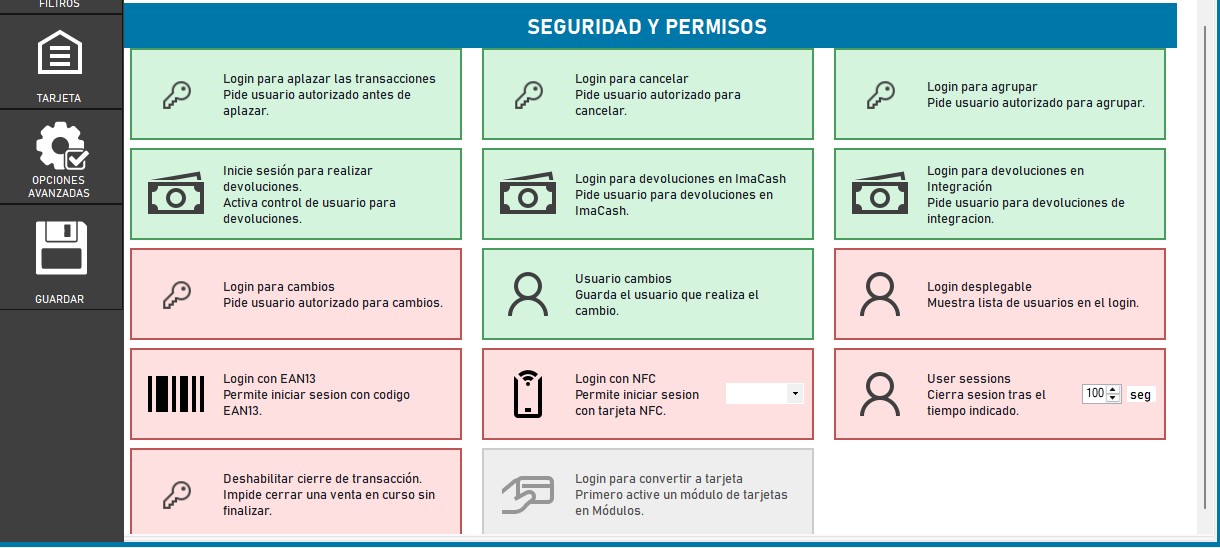
Este bloque define cuándo ImaCash debe pedir identificación de usuario para realizar acciones sensibles.
Puede aplicarse a operaciones como aplazar, cancelar, agrupar, hacer devoluciones, realizar cambios, convertir ventas a tarjeta o cerrar sesiones automáticamente.
Activa controles de login en acciones que afecten al efectivo, al cuadre de caja o a la trazabilidad de una operación.
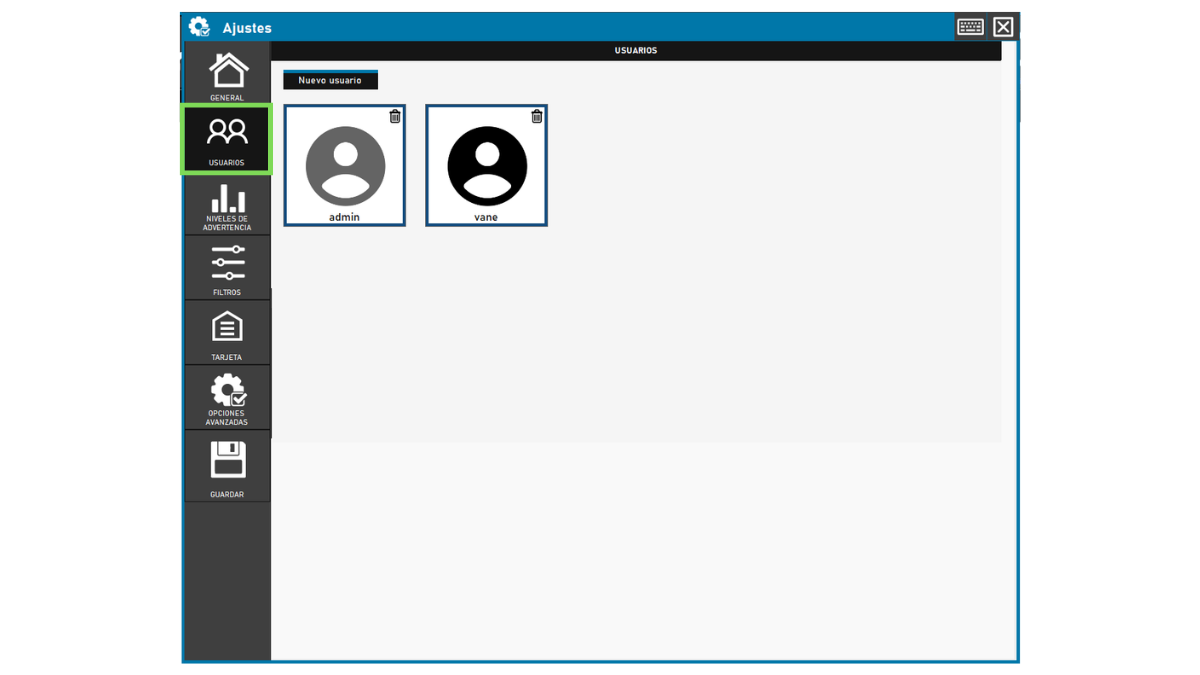
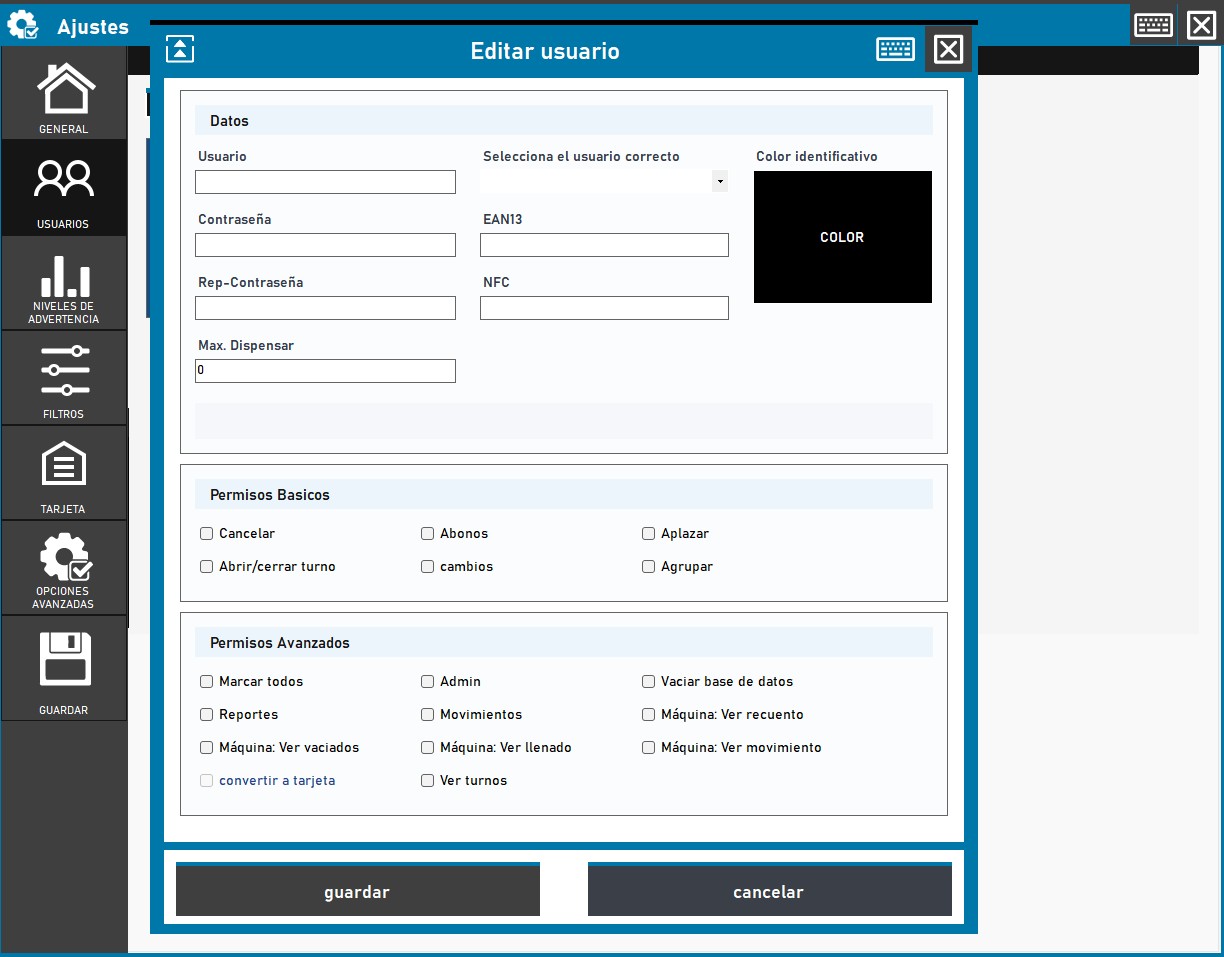
La sección Usuarios permite crear nuevos usuarios y administrar permisos de usuarios existentes.
Desde aquí puedes definir datos de acceso, contraseña, usuario relacionado, color identificativo, EAN13, NFC, límite máximo de dispensado y permisos básicos o avanzados.
Permite definir qué niveles de efectivo se consideran alto, medio o bajo para el negocio.
Estos niveles ayudan a anticipar cuándo puede hacer falta rellenar, vaciar o revisar denominaciones.
Configura los niveles según el volumen real de efectivo del establecimiento.
Permite activar filtros para controlar qué información u operaciones se muestran o sincronizan.
Antes de activarlos, asegúrate de que no ocultarán operaciones que el equipo necesita ver durante la jornada.
La sección Tarjeta permite configurar y activar el módulo de punto de venta para pagos con tarjeta.
Su objetivo es que ImaCash pueda tener control de las transacciones con independencia del método de pago usado por el cliente.
Puede depender de la licencia, el módulo contratado, el proveedor de tarjeta o la integración disponible.
Reúne parámetros técnicos y administrativos que deben modificarse con cuidado.
Está pensada para responsables o personal técnico, porque puede afectar a sincronización, importes máximos, impresora, mantenimiento local, informe diario y API REST.
Usa esta referencia para saber qué revisar sin modificar parámetros sensibles por error.
Aquí se configuran datos relacionados con la sincronización y la identificación del equipo ImaCash, como intervalo de sincronización, rango de sincronización o ImaCash-ID. No cambies estos parámetros sin conocer la instalación.
Permite definir límites para ciertas operaciones, como devoluciones máximas, transacciones máximas o devoluciones sin login hasta cierto importe.
Permite configurar impresora, caracteres y comportamiento del justificante. También puede incluir una opción de prueba para verificar que la impresora responde correctamente.
Incluye acciones como reiniciar ImaCash a una hora indicada o vaciar la base de datos. Úsalo con especial cuidado porque puede afectar a la operativa y a la información disponible.
Permite activar el envío del informe al final del día y revisar datos como email de licencia, hora de cierre, estado del mantenimiento, último envío y horario del establecimiento.
Muestra el token necesario para usar ImaCash junto con la API REST. Debe configurarse en el POS cuando la integración lo requiera y no debe compartirse públicamente.
El botón Guardar guarda todos los cambios realizados en Ajustes. Después de guardar, ImaCash puede mostrar un mensaje de confirmación indicando que los datos se guardaron correctamente.
Si modificaste opciones importantes, puede ser necesario reiniciar ImaCash para que algunos cambios se apliquen correctamente.
Las opciones visibles en Ajustes pueden variar según:
Si una opción aparece deshabilitada o no aparece, puede deberse a que no aplica a esa instalación.
Antes de cambiar cualquier opción, comprueba estos puntos. Si tienes dudas, consulta con un responsable o soporte técnico antes de aplicar cambios.
Usa esta tabla como referencia rápida para saber qué revisar dentro de Ajustes.
| Acción | Cuándo usarla |
|---|---|
| Entrar en Ajustes | Cuando necesites revisar comportamiento general, usuarios, permisos, filtros, tarjeta u opciones avanzadas. |
| Revisar General | Para ajustar cobros, ventas, pantalla y controles de seguridad operativa. |
| Revisar Usuarios | Para crear usuarios, modificar permisos o configurar NFC, EAN13 y límites de dispensado. |
| Revisar Advertencias | Para definir niveles de efectivo alto, medio o bajo según la rotación del establecimiento. |
| Revisar Filtros | Para controlar qué usuarios, mostradores, tiendas o dispositivos se muestran o sincronizan. |
| Revisar Tarjeta | Para configurar el módulo de pagos con tarjeta si está activo en la licencia. |
| Revisar Opciones avanzadas | Para parámetros técnicos como sincronización, impresora, informe diario, mantenimiento local o API REST. |
| Guardar cambios | Después de modificar opciones. Si el cambio es importante, puede ser necesario reiniciar ImaCash. |
¿Necesitas ayuda con los ajustes?
Si quieres que revisemos tu caso, podemos orientarte sobre usuarios, permisos, tarjeta, filtros, opciones avanzadas o comportamiento de cobro.