User Menu - ImaCash
Table of contents
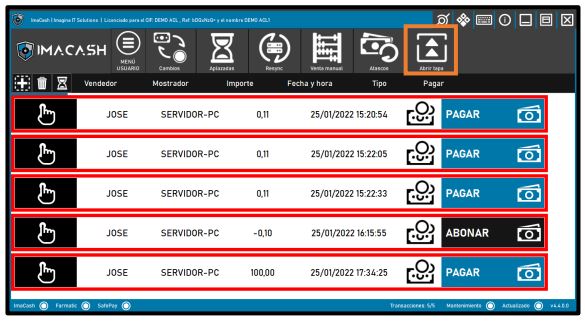
We can see a button called “ User Menu, this works as a switch between that menu and the administrator menu. While we are in the “ User Menu different buttons will appear related to the menu in question.

• Changes: Allows cash changes to be made automatically, and there are several change options depending on the need:
- Custom
- Logical
- Up
- Down
- Only tickets
- Coins only
• Deferred sales: Allows you to check whether any deferred sale is pending payment.
• Resync: By default, ImaCash shows the sales of the last 7 days, with “Resync we can tell it from when we want it to show us.
• Manual Sale: Allows a sale to be made without using the cash control machine.
• Jams: Allows you to check whether there are pending discrepancies due to a jam or machine malfunction and recover them.
• Open Lid: Opens the security lid of the cash control machine (SafePay only).
Changes
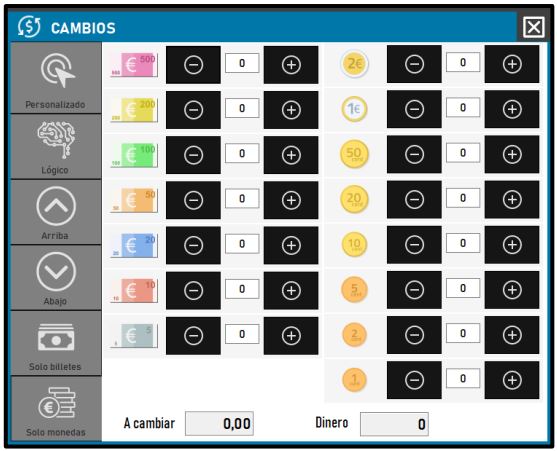
It allows you to make cash exchanges automatically, and there are several exchange options depending on the need:

Custom
The User chooses what amount to change manually.

Logical
This option allows “smart” changes with a minimum of coins and the rest in bills. The minimum for this function is a €10 bill.

Up
Allows the change of the smallest amount, to the highest possible step within the change, as it could be; “ €5+€5 = A €10 bill.

Down
It allows the change of greater quantity, to the next possible lower step within the change, as it could be; “ A €10 bill = €5+€5.

Only tickets
Returns the change entered, all in bills.

Coins only
Returns the change entered, all in coins.
Deferred sales
Allows you to see if there are sales pending payment.
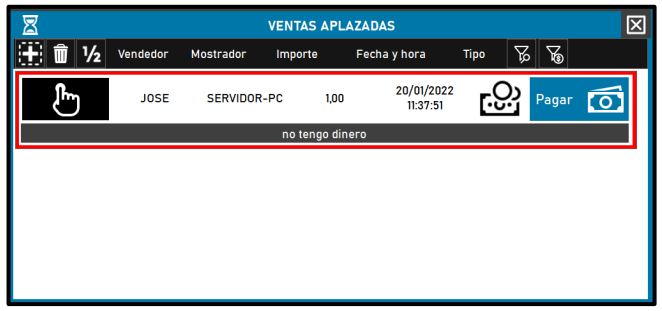
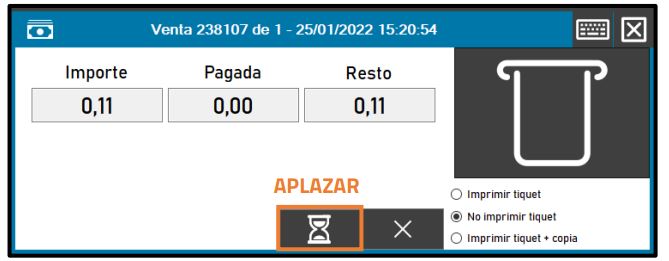
All those sales will go here, for which the defer button is pressed in the payment window.
Resync
By default, ImaCash shows the sales of the last 7 days, with “Resync we can tell it from when we want it to show us.
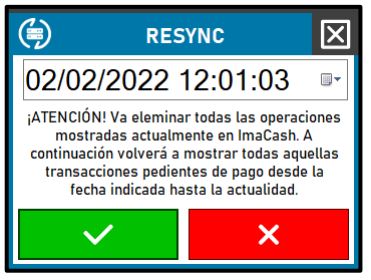
- Remember that this operation will eliminate all sales that are currently displayed on the screen pending payments or returns.
- Deferred sales are not deleted during this operation. If you want them to be deleted, enable the Settings option “Resync Deferred sales.”
Manual comes out
Allows a sale to be made without going through the integration.
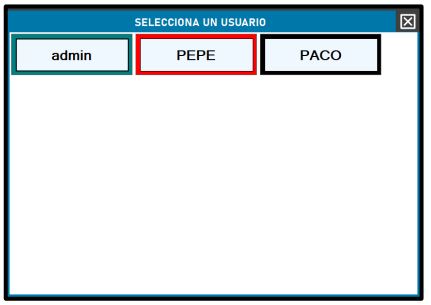
When pressing “Manual Sale”, the following user selection window will appear:
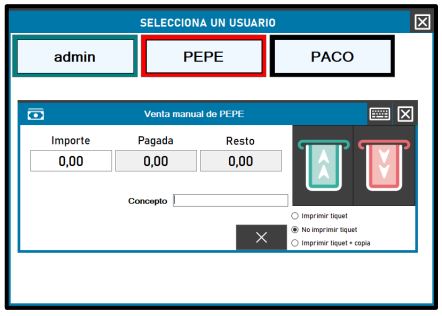
Next, the “Manual Sale (User)” window will appear, where you must enter the “Amount” and “Concept” if desired. Then press the hand icon and the operation will be completed.
Jams
Allows you to check whether there are pending discrepancies due to a jam or machine malfunction and recover them.
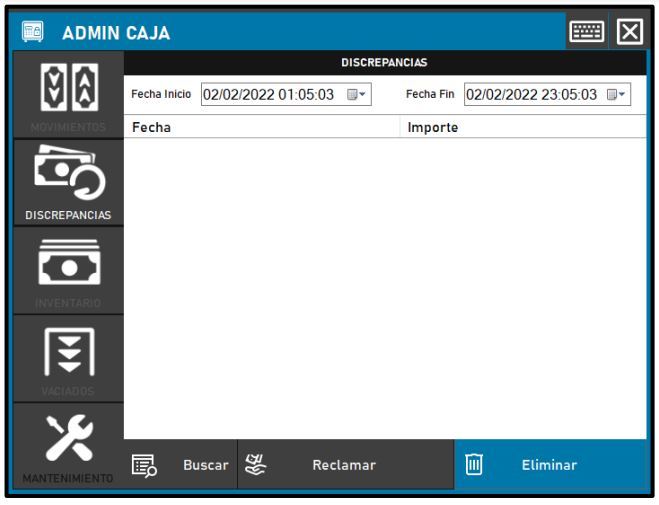
The discrepancies tab will open, where you can view the “ Amount and the “ Date and so on “ Claim the jam or “ Delete the operation if it had already been recovered.
Open competition
This function is only valid and visible if you have installed a Gunnebo SafePay.
Open the security cover of the cash control machine.