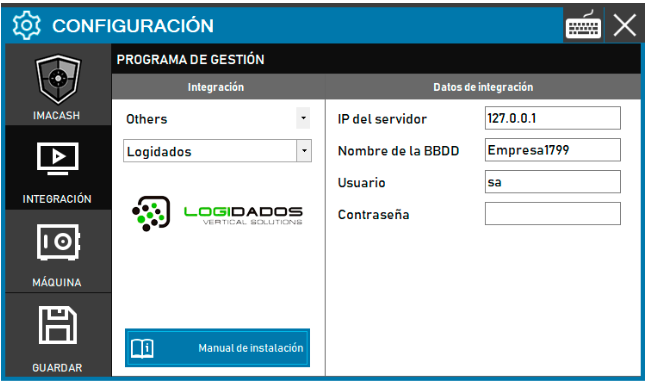
To integrate Logidados software with ImaCash, the technician must fill in the server IP (usually predefined), the database name for the establishment and the database password.
Steps to follow
- CONFIG → INTEGRATION in ImaCash.
- Management Program:
- Category: Others
- Integration: Logidas
- Integration data:
- Server IP: Enter the server IP (e.g. 127.0.0.1).
- Database name: Enter the name of the database that corresponds to the establishment (e.g. Company1799).
- User: Enter the user (e.g. sa).
- Contraseña: Private information provided by the administrator. Enter it only in ImaCash.
- Save: Click the SAVE button (floppy disk icon).