

Cash Siteco: Set up Cash Siteco in ImaCash
Before setup
- Ask the provider to install and enable the Siteco payment service and confirm the model, firmware and enabled operations. The photograph and catalogue alone do not demonstrate physical validation with ImaCash.
- The connector uses HTTP on the authorised private network. The administrator must supply the service address and port and restrict access to that network, without exposing it to the Internet. This selection does not configure HTTPS.
- The Windows user running ImaCash must be able to save its connection settings. Ask the administrator to prepare the necessary permissions; do not change service files yourself.
Confirm device capacities, denominations and functions with the provider before commercial use. A connection check does not replace supervised validation of payments, refunds and other required operations; the device validators check cash authenticity.
Steps in ImaCash
- Open Settings and select CashSiteco in the machine list, with an authorised user and no operations in progress.
- In IP, enter the private address where the Siteco payment service listens, as confirmed by the administrator. Do not append a protocol, port or path; do not assume it is the address of another device component.
- In Port, enter the service port confirmed by the provider. Check the value proposed by ImaCash against the installation; it is not a universal port for all Siteco machines.
- The CashSiteco selection fixes EUR in ImaCash. Confirm this installation profile; the manufacturer’s multicurrency offering does not demonstrate other currencies in this connector.
- Save and check the connection with the provider before validating physical operations. This selection uses IP and Port, without machine username or password fields in ImaCash.
View Cash Siteco on the manufacturer’s website
Cash Siteco reference
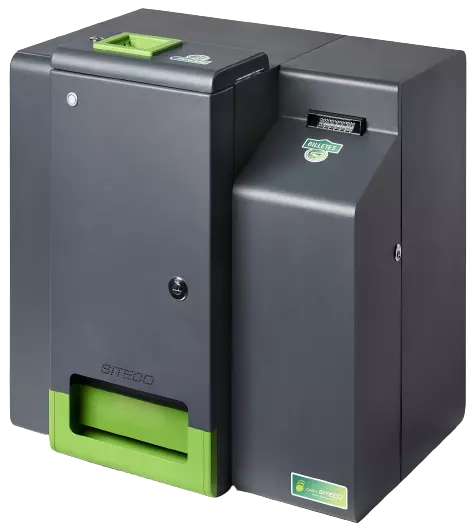
Cash Siteco
Cash Siteco is the cash management reference on this page. Confirm the model, firmware, service and operations with the provider; this photograph does not demonstrate all variants or Mini Cash Siteco compatibility.