

Set up GeWeTe Cash-Desk ECO in ImaCash
Prepare the installation
- The supplier must prepare the Cash-Desk ECO communication interface and confirm the device version. The machine and computer must be able to communicate over an authorised private network.
- The current selection sets up HTTP communication over TCP 9981. ImaCash does not display a field for editing this port; do not append the port to the IP address.
- Use the IP address of the device or service confirmed by the supplier. This selection does not display username, password, folder or HTTPS fields.
A catalogue entry does not confirm that an installation works. Validate the model, interface, firmware, currency and operations with the supplier; do not apply this selection to other models simply because they are made by GeWeTe.
Step by step
- Once the machine and service are ready, open Settings in ImaCash and select “Cash Desk Eco” from the machine list.
- In IP, enter only the private address supplied by the administrator or supplier, without a protocol, path or port. It must be reachable from the ImaCash computer.
- Choose the installation currency from the available EUR or COP options. The list does not prove that the physical device or its denominations support that currency.
- Save the settings using the Windows user and permissions that will be used to run ImaCash. The access and status check does not validate payments, change or refunds.
- Before serving customers, check the intended operations for that model and installation under supervision. If the supplier cannot confirm the model or interface, request technical validation.
Catalogue references and validation of each model
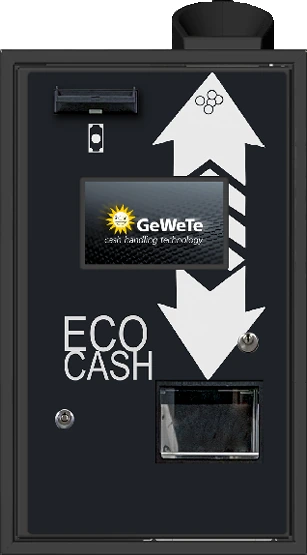
Cash-Desk ECO
Cash-Desk ECO is the manufacturer reference associated with the “Cash Desk Eco” selection in ImaCash. Confirm the installation interface, firmware and currency before use.

Cash-Desk-Retail
Cash-Desk-Retail is a separate reference in the GeWeTe catalogue. The “Cash Desk Eco” selection does not establish its compatibility: confirm the model, interface and operations before deployment.