
Set up SafeMoney in ImaCash
Before setup
- The supplier must install and prepare the SafeMoney software and its file exchange with ImaCash. Confirm the model, version and authorised operations; prepare the device connection and software according to the supplier’s instructions.
- Use a dedicated exchange folder agreed with the supplier. Do not select a documents folder, backup folder or another application’s data folder: the connector creates, reads and deletes exchange files during operation.
- The Windows user running ImaCash must be able to access the folder and read, create and delete its files. For a shared folder, the administrator must also prepare access under that same account. Do not publish the actual path or access credentials.
This guide covers the SafeMoney selection with EUR fixed. Do not equate it with SafeMoneyAdvance or assign a commercial variant from the photograph alone. The page and saved settings do not establish communication or physical validation; confirm capacities, denominations and operations for each installation.
Steps in ImaCash
- Open Settings and select SafeMoney in the machine list, using an authorised account with no operations in progress.
- In the path or directory field, select the exchange folder prepared by the supplier. The selector for this machine chooses a folder, not an executable. Confirm that it matches the folder used by the SafeMoney software.
- Prepare and start the SafeMoney software as instructed by the supplier, with the device available and the same folder configured. The SafeMoney selection in ImaCash does not use device IP, port, user or password fields.
- Check that the currency is EUR. This selection keeps it fixed; do not assume other currencies from the manufacturer’s general specifications.
- Review Force inventory with the supplier. It changes the wait for reading the received inventory; it does not correct or generate its data and does not establish that the device has updated its levels.
- Save the settings. Saving this selection stores the path but does not itself check the connection. Check communication and inventory under the actual Windows user, then validate payments, change and other required operations under supervision.
SafeMoney reference
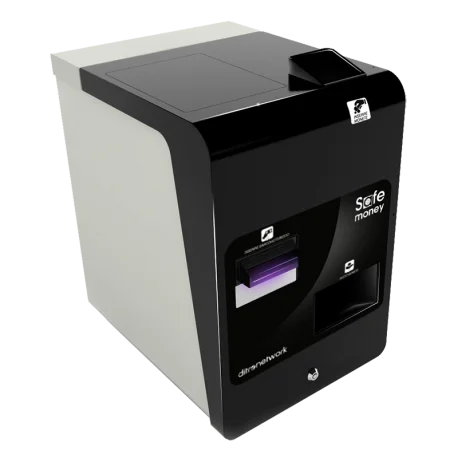
SafeMoney
SafeMoney is a Ditron solution for cash handling at the point of sale. To connect it to ImaCash through file exchange, confirm the model, software version and operations available at your installation with the supplier.