


CashProtect with ImaCash | Configuration guide
CashProtect offers cash management machines. ImaCash uses the CashProtect selection to connect to the machine service; the provider must confirm the model, firmware and interface for each installation.
The payment connection uses the TCP network. The COM port is optional for the cover and does not replace the network connection. Server and port details are private and supplied by the administrator or installer.
- With the machine ready and no cash operation in progress, check that its integration service is enabled and reachable from the Windows computer running ImaCash. Close other control applications that may occupy that connection.
- From Main, open Configuration as a user with access permission. Under Machine, select CashProtect and the device’s configured currency. The list does not establish support for every currency shown.
- Enter the private machine address in IP and its TCP service port in Port. Use only the details for that installation; do not copy values from another device.
- Select Admission always open only if the provider has set up that mode. If the cover uses a serial connection, select Use COM for cover and choose the confirmed serial port in Port COM. The TCP port is configured separately.
- Close with X and choose Save. The machine stage tries to connect and initialise CashProtect if it has no live connection to the same destination. Wait for the notice and reopen the profile to check what was saved.
If a connection to the same IP and port is already active, ImaCash keeps it and checks the mode on the next start. The new admission setting is saved even though the current process still uses the previous mode. Plan the restart after cash acceptance and pending operations have ended.
With changes pending, keep editing or leave without saving. Discarding retains any stages already saved. If the check fails, ask the provider to review the TCP destination, the service and whether another program is using the connection.
Demonstration with COM selected for the cover. The IP and port fields are empty. The video points out the controls without connecting, saving or restarting.

Video steps and text alternative
- Open Configuration from Main.
- Under Machine, select CashProtect.
- Check the device’s IP and TCP port.
- Check the currency and admission mode.
- Use COM for the cover only when needed.
- Select X. Choose Save to apply the changes.
See ImaCash Configuration in the manual
Modular range and reference diagrams
The manufacturer’s Modular range page compares PRO AS and 400 AS. The commercial name alone does not identify the generation or configuration shown in the diagrams on this page. Confirm the model, interface and firmware with the supplier; do not infer equivalence from a name or photograph.
The five diagrams are reference material with original Spanish labels and may show earlier configurations. The explanatory text on this page is translated; check the functions and version against the specific equipment before using a diagram. It does not by itself establish compatibility with ImaCash.
Scope and models
Catalogue models identify manufacturer devices; they do not by themselves establish compatibility or physical validation in ImaCash. Confirm the model, currency, firmware, admission mode and available functions with the provider before installation or configuration changes.
Documented CashProtect references
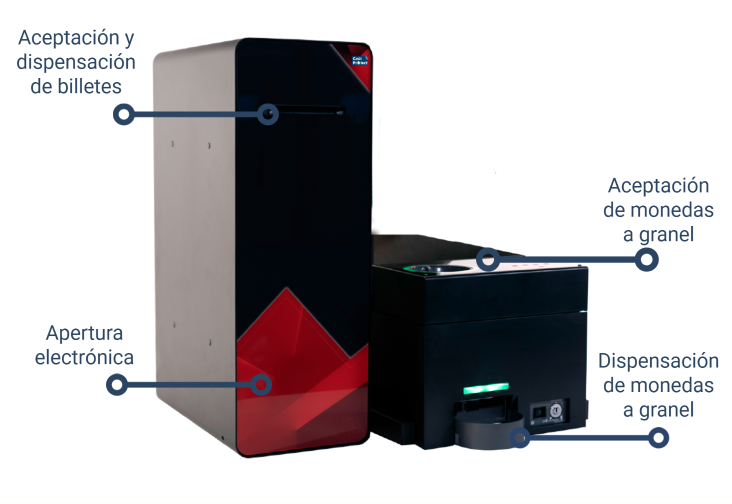
CashProtect 400 AS
Reference diagram with original Spanish labels.
Confirm the model and interface with the provider before selecting CashProtect in ImaCash. Connection, currency and functions require validation at that installation.
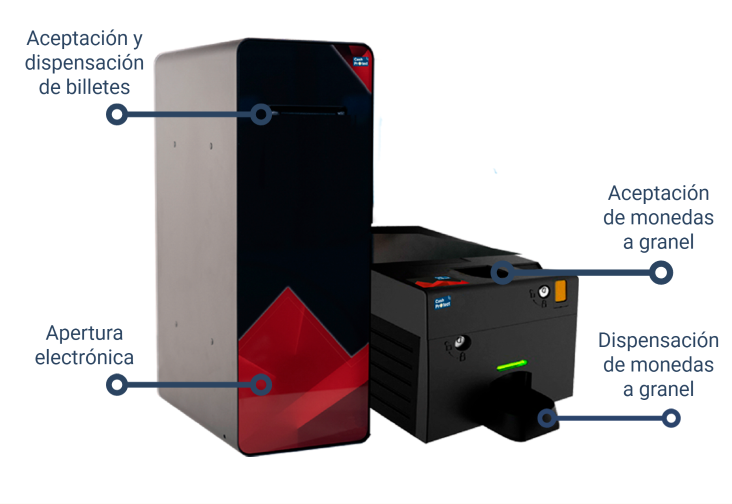
CashProtect 400 CL
Reference diagram with original Spanish labels.
Confirm the model and interface with the provider before selecting CashProtect in ImaCash. Connection, currency and functions require validation at that installation.
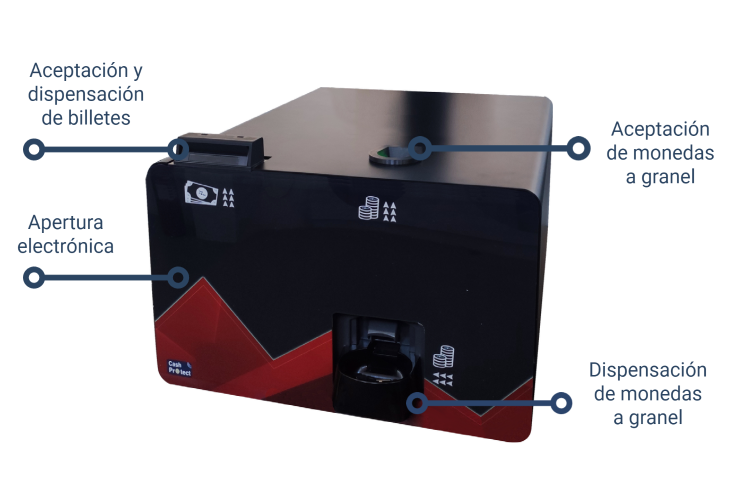
CashProtect Fusion
Reference diagram with original Spanish labels.
Confirm the model and interface with the provider before selecting CashProtect in ImaCash. Connection, currency and functions require validation at that installation.
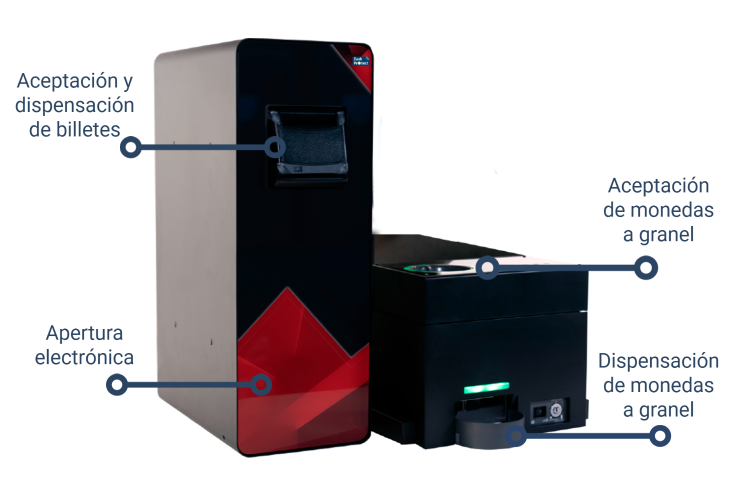
CashProtect PRO AS
Reference diagram with original Spanish labels.
Confirm the model and interface with the provider before selecting CashProtect in ImaCash. Connection, currency and functions require validation at that installation.
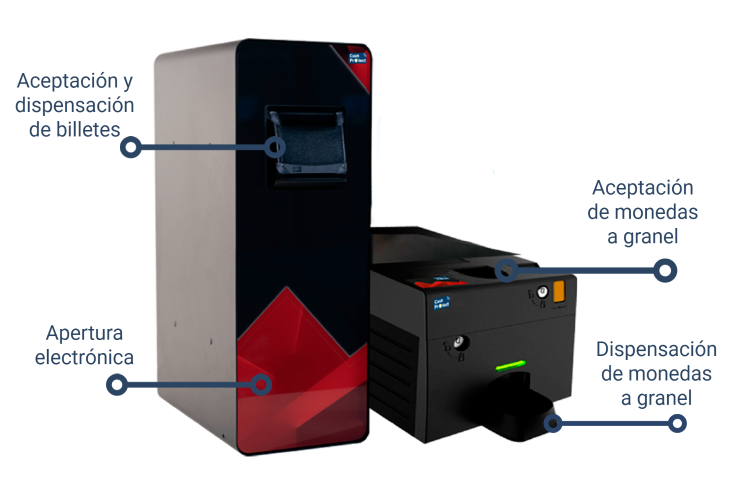
CashProtect PRO CL
Reference diagram with original Spanish labels.
Confirm the model and interface with the provider before selecting CashProtect in ImaCash. Connection, currency and functions require validation at that installation.