Manufacturer compatible with ImaCash

Anker

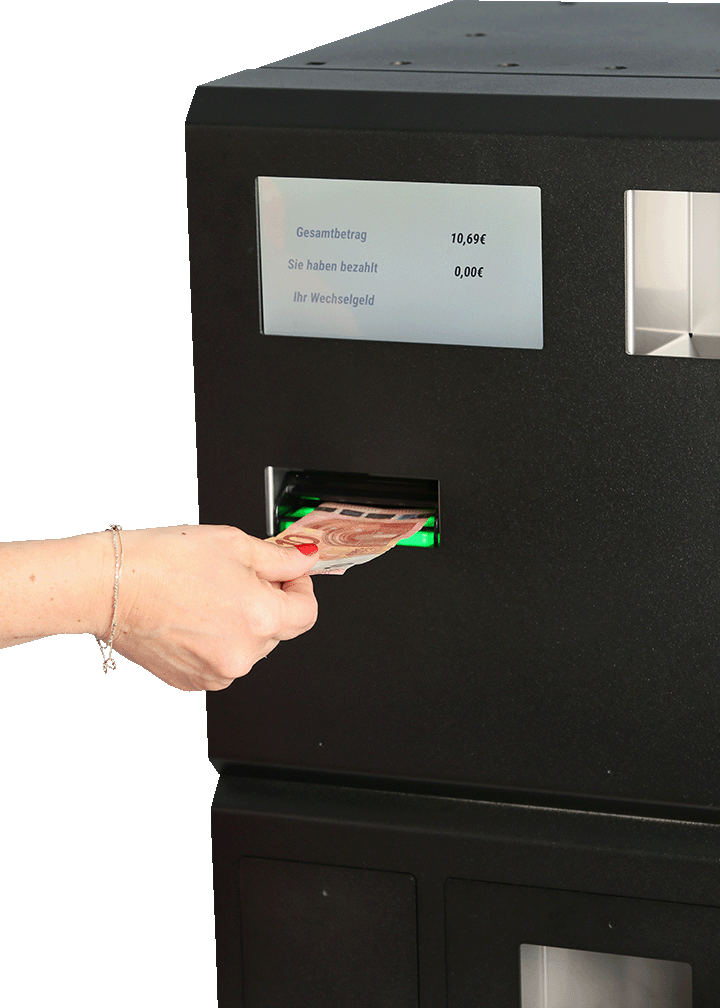
If you are looking to automate cash management in your business, the ANKER recycler is an option with more than 140 years of experience. As ImaCash developers, we have worked extensively with these machines and confirm that our integration significantly improves your cash control.

Anker

CashGenic / Anker with ImaCash: setup and safe operations

CashGenic connector guide on the Anker page. Before installing or changing settings, confirm the model, firmware, currency and supported operations with the manufacturer; this guide does not extend the machine's capabilities.

Requirements and setup

  • The manufacturer must enable the HTTPS API and provide the IP or address, port, username and password for that installation, with permission for the intended operations. The ImaCash PC must reach that HTTPS endpoint through the authorized network. Do not guess ports or credentials, include credentials in a URL or disable security to connect.
  • Using an authorized account and with no pending operations, open Configuration > Machine, select the corresponding CashGenic/Anker device and enter the connection details supplied by the manufacturer. Verify connectivity and permissions before moving cash.
  • For Chilean pesos, select CLP in Configuration > Machine and confirm that the machine uses the same currency. CLP has no decimal places in ImaCash: 1000 CLP means 1000 pesos, not 100000 or 10. Do not multiply by 100 or use EUR to compensate for an incorrect amount or display.

Read the configuration section in the ImaCash manual

Confirmed diagnosis and correction criteria

A defect has been confirmed in ImaCash's manual flow: it used EUR and multiplied the amount by 100 even when the currency was CLP. The correction must align the transmitted currency, amount and display with the active currency, without decimal places for CLP.

CashGenic was also confirmed to return PayOutFailed/PayoutJammed for RefundAmount 1000 while ImaCash returned SUCCESS. That local success was incorrect: a dispensing failure does not confirm delivery of the requested amount.

The correction criteria require accepting only the expected terminal state of the same operation and verifying the confirmed amount. An old response, a response from another operation, an error, a timeout or an incomplete payout must not finalize the transaction: it must remain pending for review, without automatically repeating the movement.

Monitoring physical faults and communication

In /system, CashGenic only provides isConnected as a connection indicator; a positive value does not guarantee that the machine is operational or that its modules are fitted and closed. Operational monitoring must also check /status.

/status publishes errorCondition and events such as CashboxRemoved (stacker or cashbox removed), RCCassetteRemoved (recycler cassette removed), NotePathOpen (note path open), Full (dispensing storage full), PayoutJammed and other jam or disconnection faults reported by the device. These warnings describe the state published by CashGenic, not a credentials rejection or necessarily a network outage.

In an ImaCash version that includes this correction, the last confirmed error warning is retained and shown on both the main screen and the payment window: an empty query response does not clear it. A subsequent network failure is shown as a communication problem; the previous physical block is not considered resolved. The physical state is retained internally and shown again when communication returns, until operational recovery is confirmed.

At idle, the warning is only cleared when /status confirms a valid, coherent Idle state with errorCondition=None (no error) later than the fault, with no contradictory later error. It may arrive in the same batch if the timestamp confirms it is strictly later than the fault; another request or poll is not required. Refitting a part, recovering isConnected or receiving an empty response is not enough. During a monetary operation, any fault in the batch requires review even if it later includes Idle without an error. Clearing the warning does not automatically release an uncertain monetary operation: its block remains and cash and history must be reconciled before any new movement.

ImaCash cannot detect every physical fault: detection depends on the firmware publishing the event through the API. If the API does not respond, a communication problem is reported; the missing response cannot justify inventing a removed stacker, an open door or another physical diagnosis. Confirm with the manufacturer which events the installed firmware publishes.

Distinguish authorization, jams and uncertainty

  • An explicit authentication or permission rejection requires the manufacturer to check the account and authorized operations; being able to query the machine does not prove permission to dispense. A network or HTTPS failure does not prove an incorrect password. If a previous movement's outcome is unknown, retain its review block first.
  • PayOutFailed/PayoutJammed indicates a dispensing failure or jam reported by CashGenic, not a credentials error. ImaCash's confirmation defect does not establish the physical cause of the jam or prove that an update will resolve it; the manufacturer or authorized maintenance provider must inspect the equipment.
  • After an error, timeout or incomplete payout, do not repeat the payment, refund, change or any other cash command. Do not restart ImaCash or the machine, or change settings to bypass uncertainty. Keep the operation pending and reconcile the machine history, actual cash and local sale before authorizing any further movement.
  • Keep the time, operation, requested and confirmed amounts and COMPLETE log for diagnosis through an authorized channel. Do not publish credentials, tokens or customer data.

Controlled commissioning

With the person responsible for the installation, without customers and using small amounts agreed in advance, test only operations supported by the device. Reconcile each result against cash and history before the next test; stop validation if any result is inconclusive.

Monitoring requires a real test authorized and supervised by the manufacturer or maintenance provider, both at idle and during a controlled payment. Physical handling is only permitted in the safe state and under the procedure they authorize; never while cash is moving. Do not cause jams, force sensors or bypass protections. Do not start payments with an active physical fault; if a warning appears during payment, stop the test and retain the operation for review.

  1. Sale: verify the currency, requested and displayed amounts, accepted cash, change actually delivered and local record. For CLP, check that all represent whole pesos, without a factor of 100.
  2. Refund: authorize a single payout and verify its terminal result, amount actually delivered and local record. An error or partial delivery must leave the operation pending, never recorded as paid or followed by a second automatic payout.
  3. Change: check incoming and outgoing amounts, denominations actually delivered and the corresponding terminal confirmation. Do not treat theoretically calculated change as delivered cash.
  4. Cancellation: request it once during an operation that supports it and check the cancelled terminal state and any actual cash returned. A click or request acknowledgement is not enough to start another operation.
  5. Stacker: at safe idle, move or remove and refit the stacker following the manufacturer's procedure. Compare the CashboxRemoved event, if published by the firmware, with the warning on the main and payment screens; if it is not published, record that limitation without claiming detection is validated. Refitting only allows the warning to clear with a /status Idle and errorCondition=None state later than the fault; also test removal and refitting between polls, with both events in the same batch and their timestamps in order.
  6. Door or note path: open and close only the authorized access point, at safe idle. Check NotePathOpen or another event documented for that access point and firmware, retention of the warning and clearance only after confirmed recovery. Do not claim an unmonitored door is detected by assuming it uses NotePathOpen.
  7. Network and recovery: agree a controlled interruption and recovery with the manufacturer, first at idle and during payment only if they authorize that scenario. Check that communication is reported, not credentials or an invented removed stacker, and that an empty query response does not remove a previous warning. Restoring the network or returning to Idle does not confirm payment or release an uncertain monetary outcome; check cash, history and the local sale before continuing.

This guide does not announce a published beta, release version or delivery date. Availability of the correction and physical validation at the installation require independent confirmation; compilation or passing automated tests establishes neither.

ANKER - The POS Company and its Anker cash recycler

If you are looking to automate cash management in your business, the ANKER recycler is an option with more than 140 years of experience. As developers of ImaCash, we have worked extensively with these machines and confirm that our integration significantly improves your cash control.

Businesses that process significant volumes of cash daily need automation. In our experience integrating different brands, ANKER stands out for its German approach to precision and durability.

Anker models compatible with ImaCash

Anker

Anker

Discover the ANKER cash recycler integrated into your POS with ImaCash

The ANKER recycler completely automates the payment cycle: receives money, validates authenticity, securely stores bills and coins, and delivers exact change without manual intervention.

ANKER began in 1876 when Carl Schmidt founded “Bielefelder Nähmaschinen Fabrik Carl Schmidt” as a sewing machine manufacturer. The company has evolved into an independent leader in POS solutions since 2015. With over 140 years of experience, ANKER supports retailers in their digital transformation.

Its German manufacturing meets the highest quality and safety standards. This means robust machines that operate reliably in demanding commercial environments.

Specs that matter for the Anker recycler:

Storage capacities

ANKER handles volumes designed for medium and high volume businesses:

Coins: Up to 1,400 €1 coins, 1,050 £1 coins, or 1,500 25 cent coins. It also handles specific mixes such as 50 €2 coins, 700 €1 coins and 300 50 cent coins.

Banknotes: Up to 80 bills of mixed denominations in the recycler, plus an additional tray that stores 500 bills.

Your business runs for hours without manual emptying, especially useful during sales peaks or night shifts.

Processing speeds

ANKER prioritizes precision over pure speed. Our experience integrating these machines with ImaCash shows that it processes fast enough to maintain normal customer flows without creating bottlenecks.

Connectivity

It includes a 7-inch touch screen and multiple connectivity options for integration with different POS systems. Supports GBP, THB, USD, EUR, BRL, RUB, CZK, TRY, RON, DKK, HUF and MXN, ideal for international business or tourist areas.

Other relevant technical features

Dimensions: 335 x 698 x 524 mm (W x H x D) Coin Unit: Handles up to 11 denominations simultaneously

What businesses does it work best for?

Medium and high-volume retail

If you process between €2,000 and €5,000 a day in cash, ANKER transforms your operation. Supermarkets, convenience stores and specialty retailers benefit from complete automation.

Restaurants and cafes

Gastronomic establishments that handle cash and tips find in ANKER a solution that simplifies daily closing and reduces manual counting time.

Retail chains

For multiple locations, standardization facilitates staff training and centralized maintenance. Consistency improves operational efficiency.

Service stations and shopping centers

24/7 businesses or those with rotating shifts benefit from autonomous capacity for hours, reducing constant cash supervision.

ImaCash: the software that connects everything

We designed ImaCash specifically to maximize the capabilities of machines like ANKER. Our experience integrating hundreds of terminals taught us exactly what businesses need for efficient cash control.

Why choose ImaCash as your middleware

  • Absolute real-time control
  • Intelligent discrepancy detection
  • Staff optimization
  • Interface for real business operations
  • Frictionless integration

After years developing ImaCash, we have established ourselves as the leading middleware in Spain and Latin America for automated cash management. Our combination of robust technology, specialized support and deep understanding of real business needs transforms the way you handle cash.

The integration between ANKER and ImaCash represents a complete solution that lets you regain full control over one of the most critical aspects of your commercial operation.

Hardware compatibility

If this manufacturer fits, the next step is to bring it into a real project

We help you review the right model, its integration with ImaCash and the most reasonable operational deployment for your case.