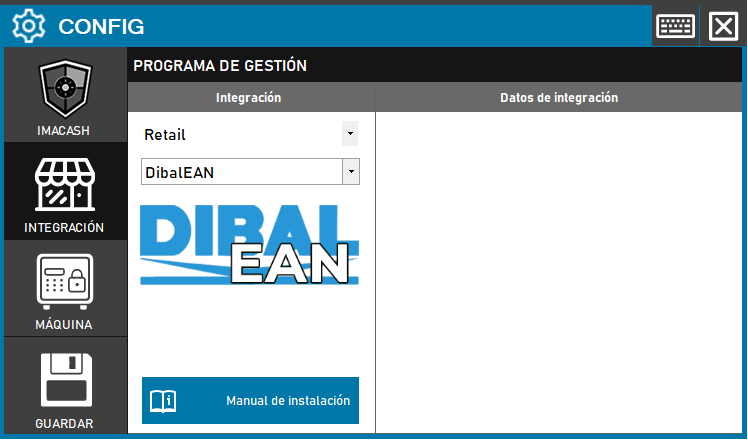
Steps to follow:
1. Open the integration settings:
- Go to CONFIG → INTEGRATION in your ImaCash system
2. Select the POS system:
- Select the “Retail” category
- Then select DibalEAN from the drop-down menu
3. Save the configuration:
- Click the SAVE button
Note: This variant works by reading EAN codes and does not require additional configuration. You just have to select the integration and save.
Important: Check which version of Dibal is installed on the client before selecting the correct integration variant.