Cashlogy Tickets configuration
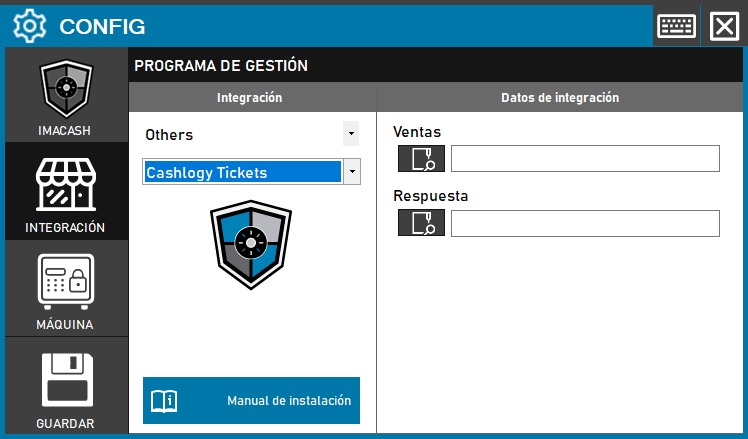
To integrate Cashlogy Tickets with ImaCash, the technician must specify two file paths for communication between systems.
Steps to follow
- Access the integration settings:
- Go to CONFIG > INTEGRATION in your ImaCash system
- Select the POS system:
- Select the POS category, in this case «Others»
- Then select Cashlogy Tickets from the drop-down menu
- Configures communication routes:
- Sales: Click on the folder icon and enter the path where Cashlogy Tickets generates the sales files
- Answer: Click on the folder icon and enter the path where ImaCash will send the responses back to Cashlogy Tickets
- Save the configuration:
- Click the SAVE button (save icon) at the bottom left
Note: This integration works through file exchange between Cashlogy Tickets and ImaCash. Both routes must be properly configured to allow bidirectional communication between the systems.