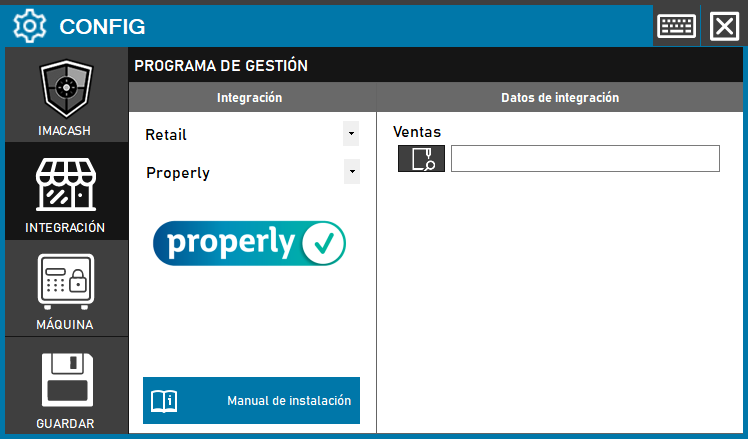
Para integrar el Software Properly con ImaCash, el técnico deberá localizar y configurar la ruta del directorio específico donde el programa de gestión almacena los registros de sus ventas.
Auszuführende Schritte
- CONFIG → INTEGRATION in ImaCash.
- Verwaltungsprogramm:
- Kategorie: Einzelhandel.
- Integration: Properly.
- Integrationsdaten:
- Verkäufe: Klicken Sie auf das Ordnersymbol und wählen Sie den Verzeichnispfad aus, in dem Properly Verkäufe gespeichert sind.
- Speichern: Klicken Sie auf die Schaltfläche SPEICHERN (Diskettensymbol).