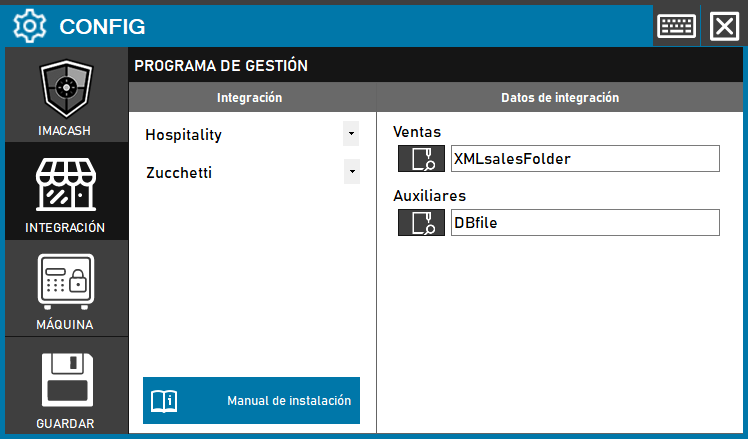
To integrate Zucchetti Software with ImaCash, the technician must configure access to the directories or files in XML format that contain operations and personnel information.
Steps to follow
- Access the CONFIG > INTEGRATION menu in the ImaCash interface.
- In the Management Program section, select the following parameters:
- Category: Hospitality.
- Integration: Zucchetti.
- In the Integration Data section, use the magnifying glass icon to select the corresponding routes:
- Sales: Select the XML sales folder or file (example: XMLSalesFolder).
- Auxiliaries: Select the XML file for employees or vendors (example: DBfile).
- Click the SAVE button (floppy icon) to confirm the settings.