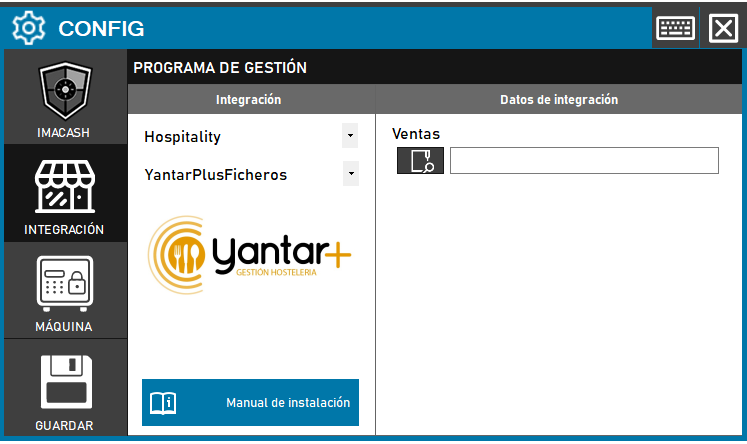
To complete the integration with the Yantar Plus Files variant, the process is simplified by focusing exclusively on locating the transaction file generated by the software.
Steps to follow:
- Access the CONFIG → INTEGRATION menu on the side panel of ImaCash.
- In the Management Program section, select the following parameters:
- Category: Hospitality.
- Integration: YantarPlusFicheros.
- In the Integration Data section, complete the route field:
- Sales: Click the magnifying glass icon to explore the team's folders and select the path where the Yantar Plus sales files are saved.
- Click the SAVE button (floppy disk icon in the sidebar) to save your changes.
Nota comparativa: A diferencia de la integración estándar de Yantar Plus (que requiere archivos .MDB específicos para auxiliares, empresas y mostradores), esta versión de Ficheros solo necesita la ruta de ventas para operar.