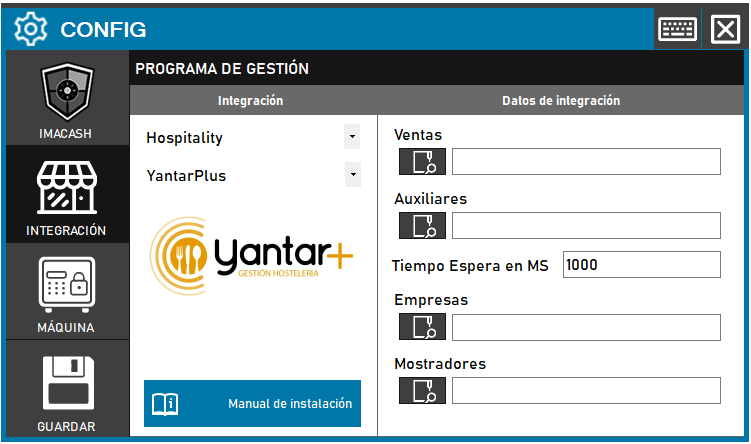
To integrate Yantar Plus Software with ImaCash, the technician must configure access paths to various Microsoft Access database (.MDB) files and adjust the response time for data processing.
Steps to follow:
- Access the CONFIG → INTEGRATION menu in the ImaCash interface.
- In the Management Program section, select the following parameters:
- Category: Hospitality.
- Integration: YantarPlus.
- In the Integration Data section, use the magnifying glass icon to find and select the corresponding files:
- Ventas: Selecciona el archivo
- Auxiliares: Selecciona el archivo
- Empresas: Selecciona el archivo
- Mostradores: Selecciona el archivo
- Set the Wait Time in MS:
- Enter the extra time (in milliseconds) that the system must wait to handle grouped sales.
- By default, the value is usually set to 1000 ms.
- Click the SAVE button (floppy icon) to confirm the settings.