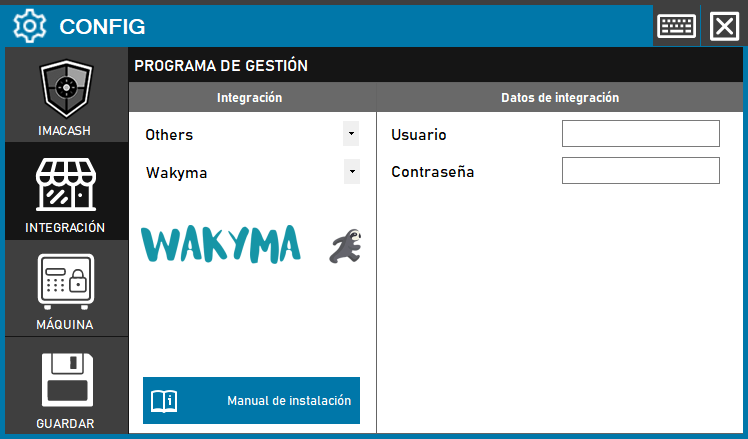
To integrate the Wakyma Software with ImaCash, the technician must configure the access credentials that allow communication between both platforms.
Steps to follow
- Access the CONFIG → INTEGRATION menu in the ImaCash interface.
- In the Management Program section, select the following parameters:
- Category: Others.
- Integration: Wakyma.
- In the Integration Data section, complete your login information:
- User: Enter the username of the Wakyma account.
- Contraseña: Private information provided by the administrator. Enter it only in ImaCash.
- Click the SAVE button (floppy icon) to confirm and activate the settings.