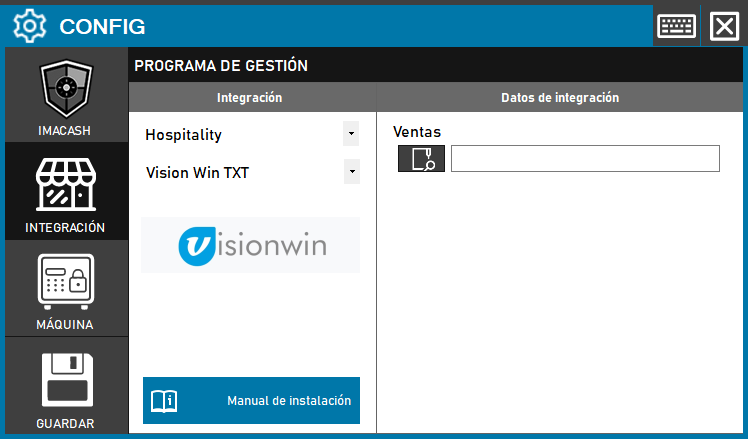
To integrate Visionwin Software with ImaCash, the technician must configure access to the directory where the management program records business operations.
Steps to follow:
- Access the CONFIG → INTEGRATION menu in the ImaCash interface.
- In the Management Program section, select the following parameters:
- Category: Hospitality.
- Integration: Vision Win TXT.
- In the Integration Data section, complete the configuration:
- Sales: Click the folder icon and select the exact directory path where sales are saved.
- Click the SAVE button (disk icon) to confirm the link.