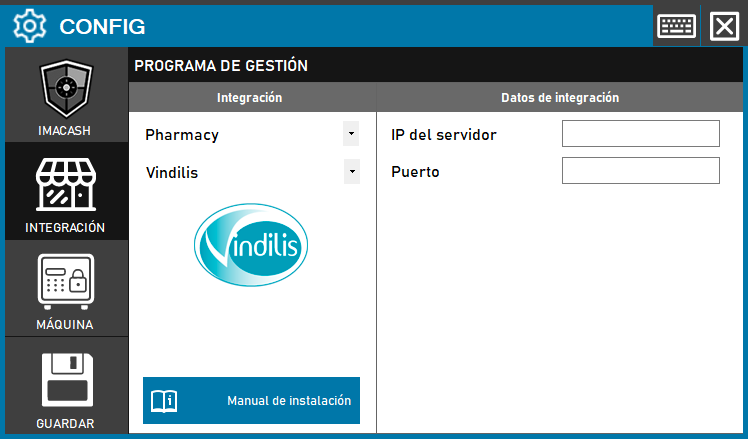
To integrate Vindilis Software with ImaCash, the technician must configure the network parameters to establish communication between the pharmaceutical management system and the machine.
Steps to follow
- Access the CONFIG → INTEGRATION menu in the ImaCash interface.
- In the Management Program section, select the following parameters:
- Category: Pharmacy.
- Integration: Vindilis.
- In the Integration Data section, complete the connection information:
- Server IP: Enter the server IP address of Vindilis.
- Port: Enter the port number configured for communication.
- Click the SAVE button (floppy icon) to confirm the settings.