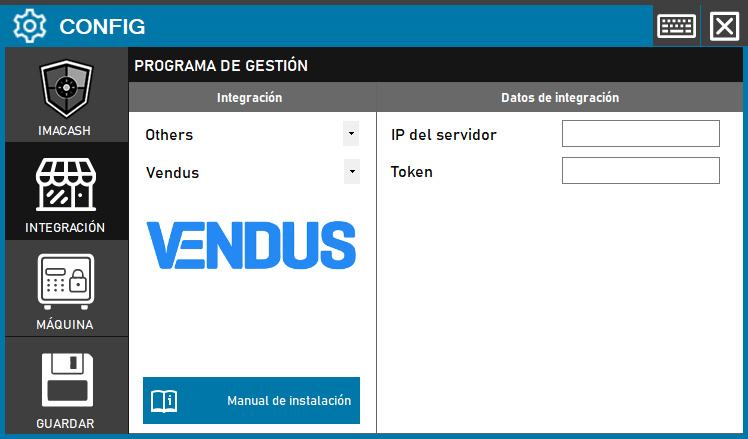
To integrate Vendus Software with ImaCash, the technician must configure the connection parameters to link both systems through their network interface and authentication.
Steps to follow
- Open the CONFIG → INTEGRATION menu in the ImaCash interface.
- In the Management Program section, select the following parameters:
- Category: Others.
- Integration: Vendus.
- In the Integration Data section, complete the necessary information:
- Server IP: In this field you must enter the connection URL.
- Token: Private information provided by the administrator. Enter it only in ImaCash.
- Click the SAVE button (floppy icon) to confirm the integration.