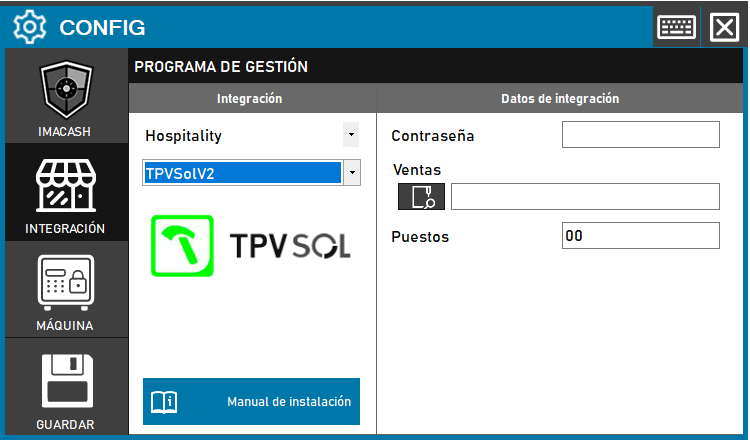
To integrate the Sol V2 POS software with ImaCash, the configuration is similar to the standard version but includes an additional parameter to identify the terminal.
Steps to follow:
- Open the CONFIG → INTEGRATION menu in the ImaCash interface.
- In the Management Program section, select:
- Category: Hospitality.
- Integration: TPVSolV2.
- In the Integration Data section, complete the required fields:
- Password: Enter the access code provided for the integration.
- Sales: Click the folder icon to locate the sales file on your computer.
- Posts: Enter the corresponding terminal number (by default “00” usually appears).
- Click the GUARDAR button (floppy disk icon) to apply the changes
Solution to connection errors (Microsoft.ACE.OLEDB.12.0)
If you see an error related to the “Microsoft.ACE.OLEDB.12.0” dependency, it is due to missing Microsoft Access components.
Passive Dependency Installation:
- Download the component from the official Microsoft website.
- Run CMD (Command Prompt) as Administrator.
- Enter the path of the installer followed by the parameter
C:\Users\User\downloads\AccessDatabaseEngine_x86.exe /passive