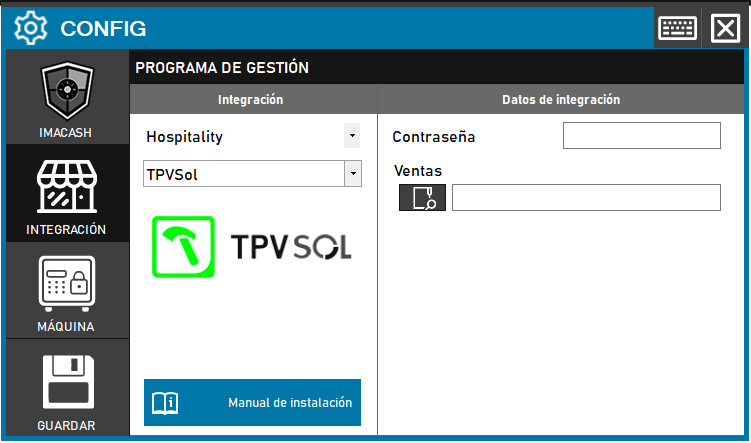
To integrate the Sol POS Software with ImaCash, the technician must configure access to the sales file and ensure that the system has the necessary database drivers.
Steps to follow:
- Open the CONFIG → INTEGRATION menu in the ImaCash interface.
- In the Management Program section, select:
- Category: Hospitality.
- Integration: TPV Sol.
- In the Integration Data section:
- Password: Enter the password that must be previously provided.
- Sales: Click on the folder icon and search for the exact location of the software sales file.
- Click the SAVE button (disk icon).
Solution to connection errors (Microsoft.ACE.OLEDB.12.0)
If you see an error related to the “Microsoft.ACE.OLEDB.12.0” dependency, it is due to missing Microsoft Access components.
Passive Dependency Installation:
- Download the component from the official Microsoft website.
- Run CMD (Command Prompt) as Administrator.
- Enter the path of the installer followed by the parameter
C:\Users\User\downloads\AccessDatabaseEngine_x86.exe /passive