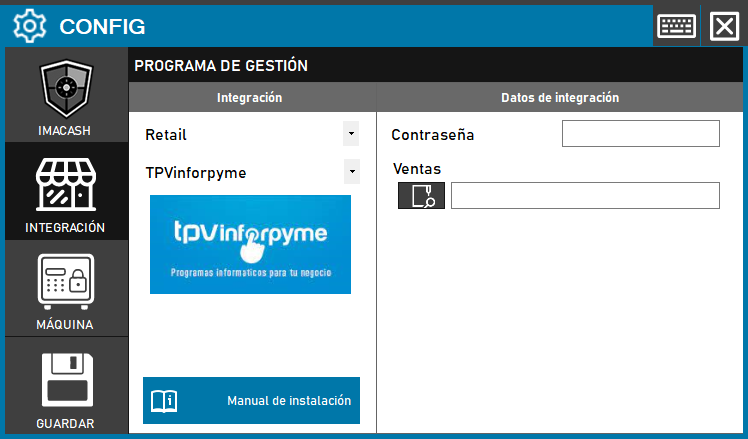
Required action: the technician must define the system access key and specify the directory where the sales records are located for processing.
Steps to follow:
- Open the CONFIG → INTEGRATION menu in the ImaCash interface.
- In the Management Program section, select the following parameters:
- Category: Retail.
- Integration: POS InforPYME.
- In the Integration Data section, complete the technical information:
- Contraseña: Private information provided by the administrator. Enter it only in ImaCash.
- Sales: use the magnifying glass icon to select the folder path where sales files are stored.
- Click the SAVE button (floppy disk icon) to confirm the changes.