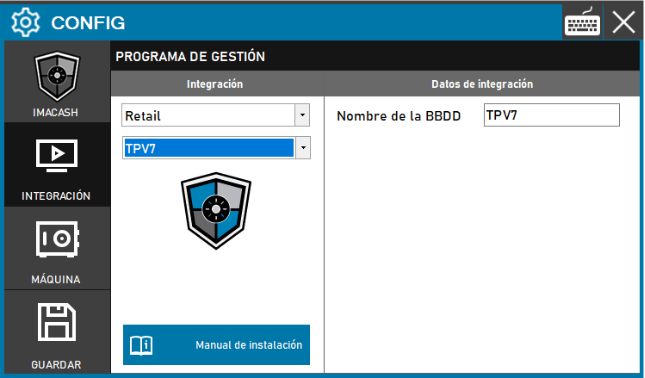
Required action: el técnico deberá especificar el identificador de la base de datos correspondiente a la instalación del cliente para habilitar la comunicación entre sistemas.
Steps to follow:
- Access the CONFIG → INTEGRATION menu in the side interface of ImaCash.
- In the Management software section, select the following values:
- Category: Retail.
- Integración: TPV7.
- En la sección Datos de integración, rellene la información requerida:
- Nombre de la BBDD: introduzca el nombre asignado a la base de datos de gestión (ejemplo: TPV7).
- Haga clic en el botón GUARDAR (icono de disquete) para aplicar y validar la configuración.