To integrate Tiller Software with ImaCash, the technician must obtain and register a security token that links both platforms through the Tiller App Marketplace.
Steps to follow
- Token: Private information provided by the administrator. Enter it only in ImaCash.
- Access the AppMarket section within the Tiller software.
- Look for the ImaCash application.
- When you activate the application, the system will display the Restaurant Token required for the connection.
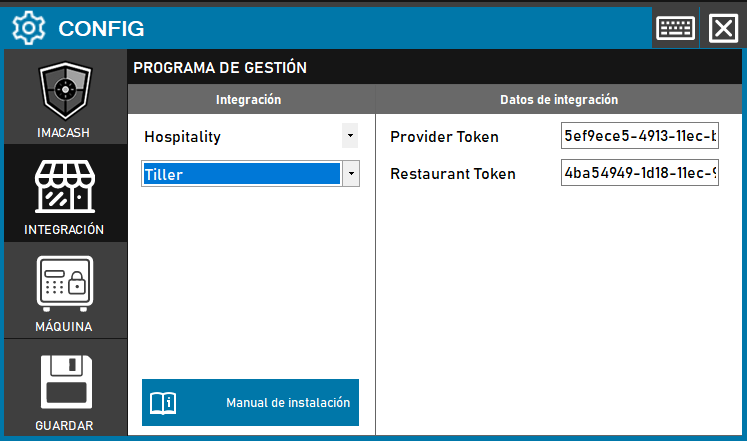
- Settings in ImaCash:
- Access the menu CONFIG → INTEGRATION.
- In the Management Program section, select the Tiller integration (Category: Hospitality).
- Integration data:
- Token: Private information provided by the administrator. Enter it only in ImaCash.
- Click the button