Action required: The technician must identify the name of the server on the network and provide the database access user (DBA) to enable information exchange
Steps to follow
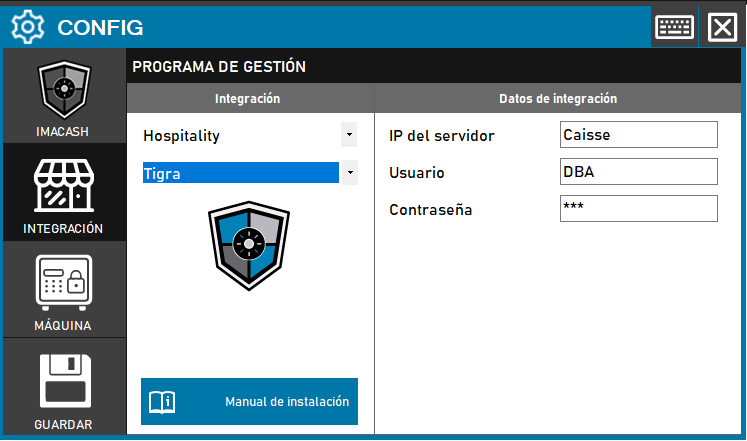
- Access the CONFIG → INTEGRATION menu in the side interface of ImaCash.
- In the Management program section, select the following values:
- Category: Hospitality.
- Integration: Tigra.
- In the Integration Data section, complete the technical information:
- Server IP: Enter the network name or IP address of the server (example: Caisse).
- User: Enter the username with database administrator permissions (example: DBA).
- Password: access code corresponding to the configured user.
- Click the SAVE button (floppy disk icon) to register the settings.