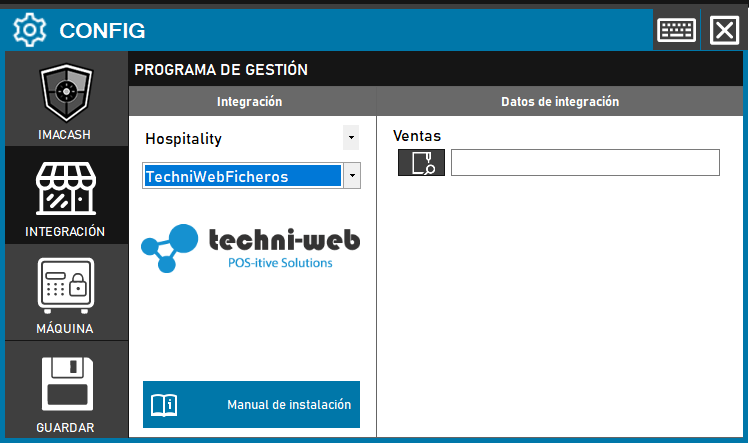
For the Techni-web Files integration, the system operates through local file sharing, so the configuration differs from the database-based version.
Steps to follow:
- Access CONFIG → INTEGRATION in the ImaCash menu.
- In the Management Program section, select:
- Category: Hospitality.
- Integration: Techniweb_files.
- In the Integration Data section:
- Sales: Click on the folder icon and select the directory path where the management software deposits sales.
- Click the SAVE button (disk icon).
Note for technicians: Techni-web technicians must configure their software as a CashKeeper, since this is the protocol that file integration uses.