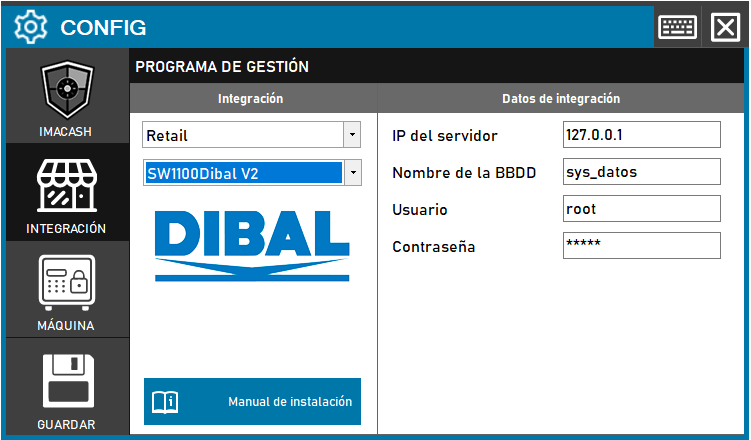
Steps to follow:
1. Open the integration settings:
- Go to CONFIG → INTEGRATION in your ImaCash system
2. Select the POS system:
- Select the “Retail” category
- Then select SW1100Dibal V2 from the dropdown menu
3. Complete the connection details:
- Server IP: Enter the IP address of the server (example: 127.0.0.1)
- Database name: Database name (example: sys_datos)
- User: User with access permissions (example: root)
- Contraseña: Private information provided by the administrator. Enter it only in ImaCash.
4. Save the configuration:
- Click the SAVE button