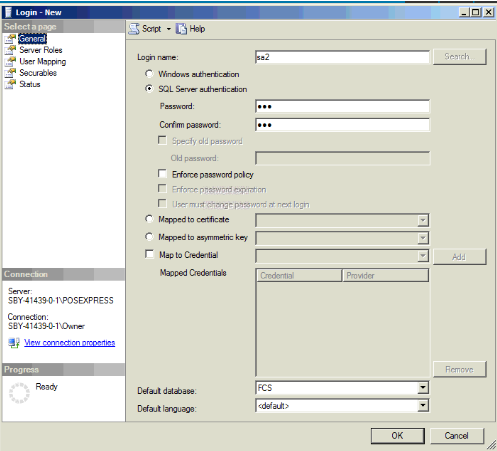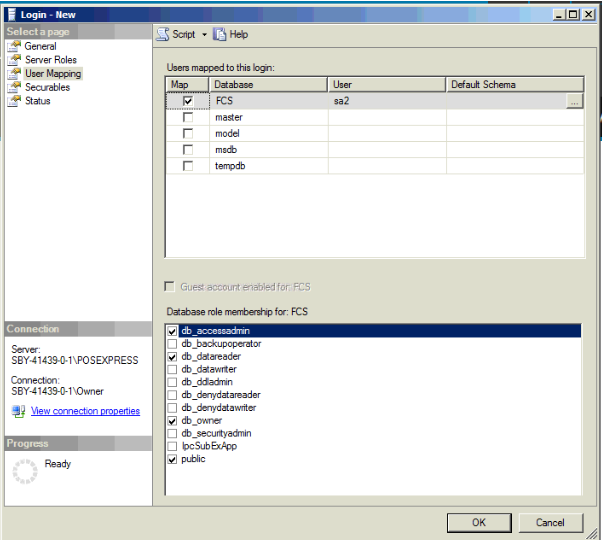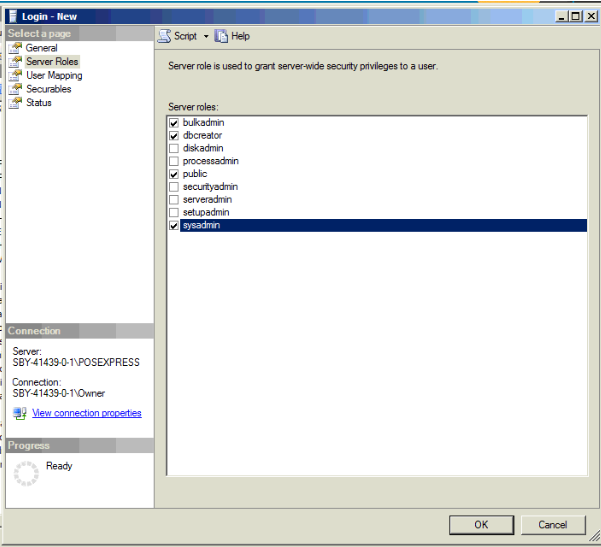
To integrate Subway Software with ImaCash, it is necessary to establish a direct connection to your database, which requires both network configuration and the prior creation of authorized credentials in the Subway system.
Steps to follow in ImaCash:
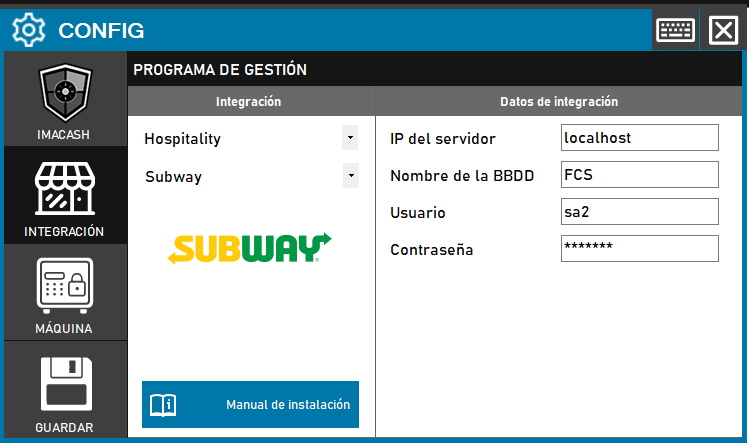
- Go to CONFIG > INTEGRATION.
- In Management Program, select:
- Category: Hospitality.
- Integration: Subway.
- Under Integration Data, complete the following fields:
- Server IP: Network address where the database is hosted.
- Database name: Subway database identifier.
- User: Name of the previously created authorized record (usually the default).
- Contraseña: Private information provided by the administrator. Enter it only in ImaCash.
- Click the SAVE button (disk icon).