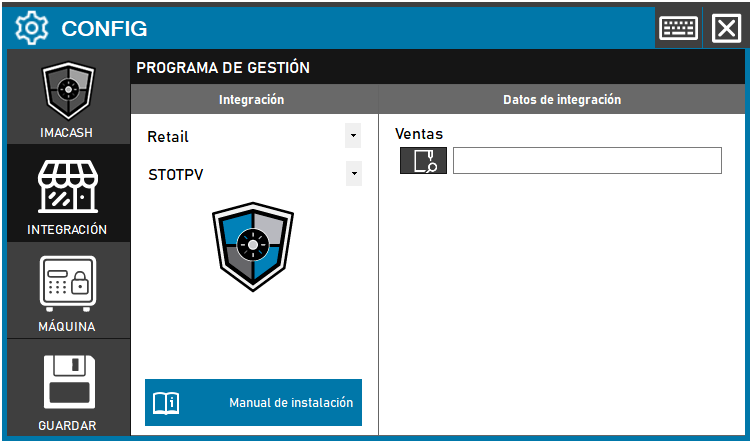
To integrate StoTPV Software with ImaCash, the technician will need to configure access to the directory where transaction logs are stored.
Steps to follow
- Access the CONFIG > INTEGRATION menu in the ImaCash interface.
- In the Management Program section, select the following values:
- Category: Retail.
- Integration: STOTPV.
- In the Integration Data section:
- Sales: Click the folder icon and select the corresponding directory path where sales are saved.
- Click the SAVE button (floppy disk icon) to confirm the changes.