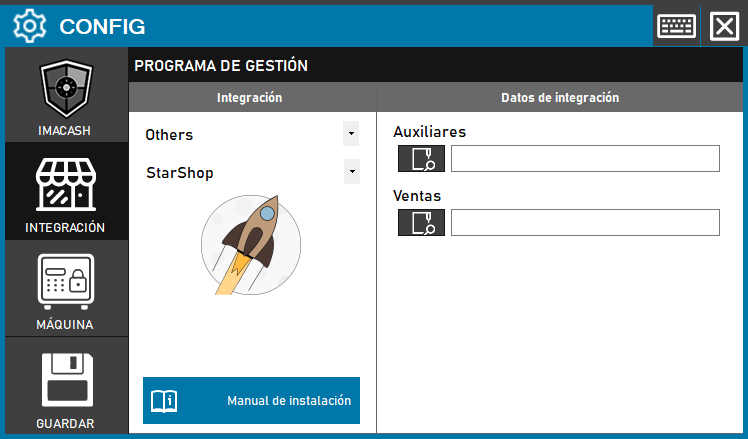
To integrate StarShop Software with ImaCash, the technician must configure data exchange paths to process both transactions and system responses.
Steps to follow
- Access CONFIG > INTEGRATION in the side menu of ImaCash.
- In the Management Program section, select the following parameters:
- Category: Others.
- Integration: StarShop.
- In the Integration Data section, define the corresponding routes:
- Sales: Click on the magnifying glass with folder icon and select the directory where the program collects sales.
- Auxiliary: Select the directory path where the program collects the responses.
- Click the SAVE button (floppy icon) to finish the setup.