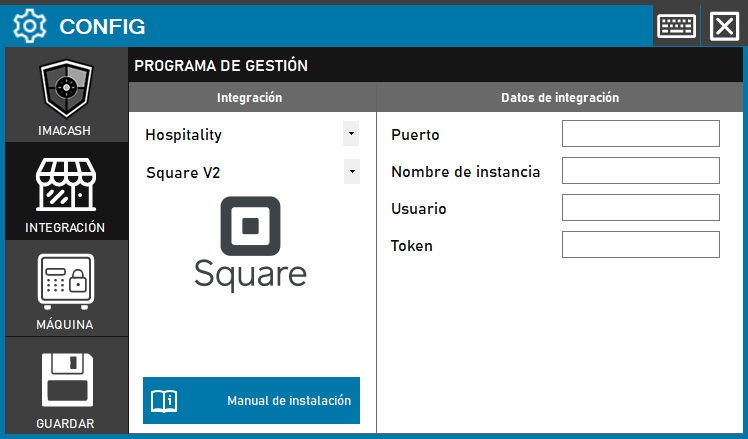
This version of the integration uses the standard ImaCash fields to map to Square API V2-specific parameters.
Action Required: Map the Square connection data to the corresponding fields in the ImaCash interface.
Steps to follow:
- CONFIG → INTEGRATION in ImaCash.
- Management Program:
- Sector: Hospitality
- Integration: Square V2.
- Integration data:
- Port: Enter the company/business ID.
- Instance name: Enter the connection URL.
- User: Enter the Access Token.
- Token: Private information provided by the administrator. Enter it only in ImaCash.
- Save: Click the SAVE button.