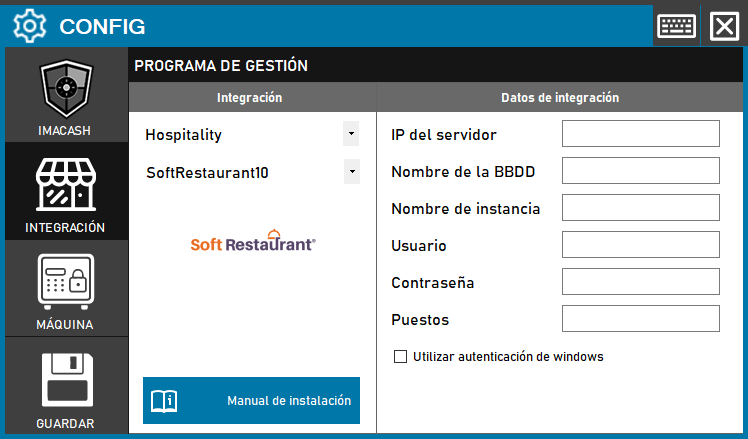
The configuration for version 10 maintains a similar structure but adds specific management of stations or terminals.
Steps to follow:
- CONFIG → INTEGRATION in ImaCash.
- Management Program:
- Category: Hospitality.
- Integración: SoftRestaurant10.
- Integration data:
- Server IP: Enter the IP address of the server.
- Database Name: Enter the name of the database.
- Nombre de instancia: Introducir la instancia de SQL Server.
- Contraseña: Private information provided by the administrator. Enter it only in ImaCash.
- Puestos: Especificar el número de puestos o terminales de venta.
- Autenticación: Seleccionar «Utilizar autenticación de Windows» si es necesario.
- Save: Click the SAVE button.