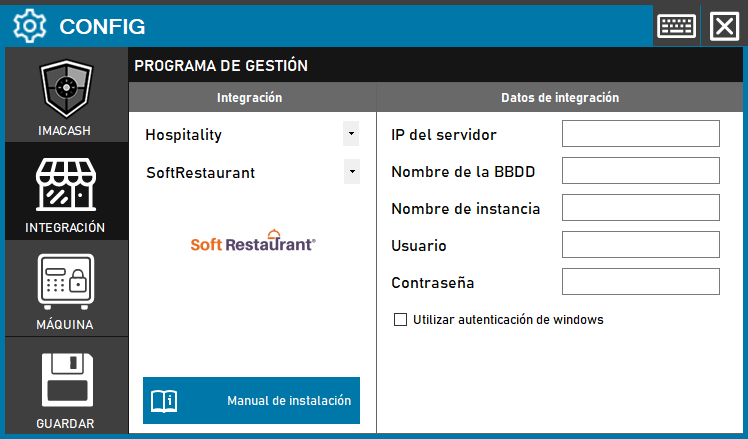
This version requires direct connection to the SQL database instance where the terminal information is hosted.
Steps to follow
- CONFIG > INTEGRATION in ImaCash.
- Management Program:
- Category: Hospitality.
- Integration: SoftRestaurant.
- Integration data:
- Server IP: Enter the IP address of the server SQL.
- Database Name: Enter the name of the corresponding database.
- Instance Name: Specify the name of the SQL instance.
- Contraseña: Private information provided by the administrator. Enter it only in ImaCash.
- Authentication: Check “Use Windows authentication” if the environment requires it.
- Save: Click the SAVE button.