


Smart RX Configuration
To integrate the Smart RX Software with ImaCash, the technician will need to configure the network parameters and the location of the terminal files necessary for communication.
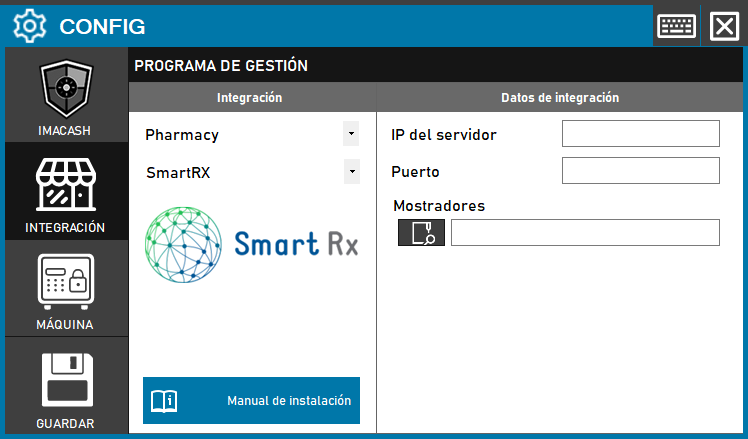
Steps to follow:
CONFIG → INTEGRATION in ImaCash.
Management Program:
Category: Pharmacy.
Integration: SmartRX.
Integration data:
Server IP: Enter the IP address of the server where the software operates.
Port: Enter the configured connection port.
Counters: Click on the folder icon and select the path of the Counters file.
Save: Click the SAVE button (floppy disk icon).