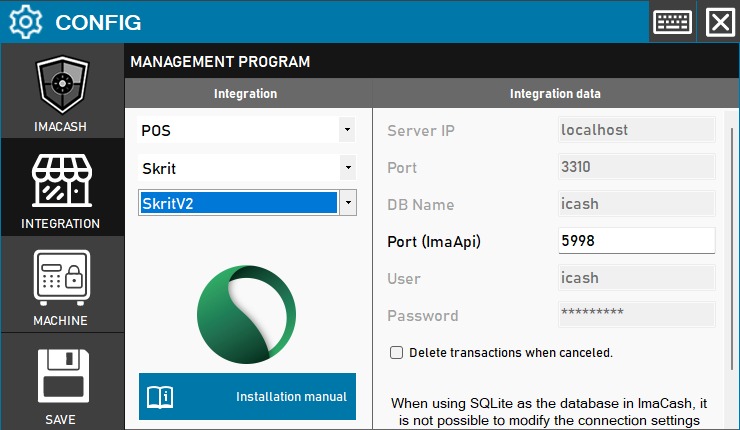
To integrate Software SkritV2 with ImaCash, the technician must configure the connection data to the MySQL database (IP, Port, DB, User and Password) and specify the Port (ImaApi). As in WinVet, it is necessary to contact Skrit support to enable communication from your software to ImaCash.
Steps to follow:
- CONFIG → INTEGRATION in ImaCash.
- Management Program:
- Category: POS.
- Integration: SkritV2.
- Integration data:
- Server IP: Enter the server IP (by default localhost).
- Port: Database port (default 3310).
- DB Name: Name of the database (icash by default).
- Port (ImaApi): Port for the API of ImaCash (default 5998).
- User: Database user (icash by default).
- Password: Private information provided by the administrator. Enter it only in ImaCash.
- Delete transactions when canceled: Check this option if you want the system to delete records of canceled operations.
- Save: Click the SAVE button (floppy disk icon).
Configuration Notes:
- External Support: Once ImaCash is configured, you must ask Skrit to establish communication from your system.
- SQLite Restriction: If ImaCash uses SQLite as a database, it will not be possible to modify these connection settings from the panel.